Microsoft 365 Free Reporting Tool — Public Teams Report
Microsoft Teams environments grow fast—and without clear visibility, public Teams can easily become a governance concern. Since public Teams are discoverable and joinable by users across the organization, administrators need a simple way to track them.
The Microsoft 365 Public Teams Report, available in the M365 Free Reporting Tool, gives admins instant visibility into all public Teams—without digging through admin centers or writing PowerShell scripts.
What Are Public Microsoft Teams?
Public Microsoft Teams are Teams that are visible to everyone in the organization. Any user can discover and join them without approval.
Public Teams are typically used for:
- Organization-wide communication
- Open collaboration spaces
- Knowledge-sharing communities
Because they are open by design, they require regular monitoring to ensure data exposure and governance policies are respected.
How Do Public Microsoft Teams Differ from Private Microsoft Teams?
The key difference lies in access control:
- Public Teams
- Visible to everyone in the tenant
- Users can join freely
- Higher visibility and collaboration reach
- Private Teams
- Visible only to invited members
- Membership is restricted
- Used for sensitive or limited collaboration
From a governance standpoint, public Teams require more oversight due to their open nature.
How to Generate Public Microsoft Teams Report?
Let’s look at the available methods and their limitations.
- Using Microsoft 365 Admin Center
- No exclusive listing or filtering of Public Teams
- Privacy setting is displayed but not filterable
- No consolidated reporting or export option
- Using Microsoft Teams Admin Center
- No exclusive filter for Public Teams
- Privacy setting is displayed but not filterable
- No consolidated export
- Requires manual review of Teams
- Using Graph PowerShell
- Retrieves Teams-enabled groups
- Filters Teams based on visibility (Public)
- Formats and exports results
- Requires Graph and PowerShell knowledge
- Script maintenance and reuse needed
- Manual formatting and CSV export
- Not ideal for quick or frequent reporting
- Using M365Corner Microsoft 365 Free Reporting Tool
- No scripts required
- Exclusive listing of Public Teams only
- Clear visibility into Team names and attributes
- One-click CSV export
- Report Shareable Via Mail
The Microsoft 365 Admin Center does not provide a dedicated Public Teams report.
❌ Limitations
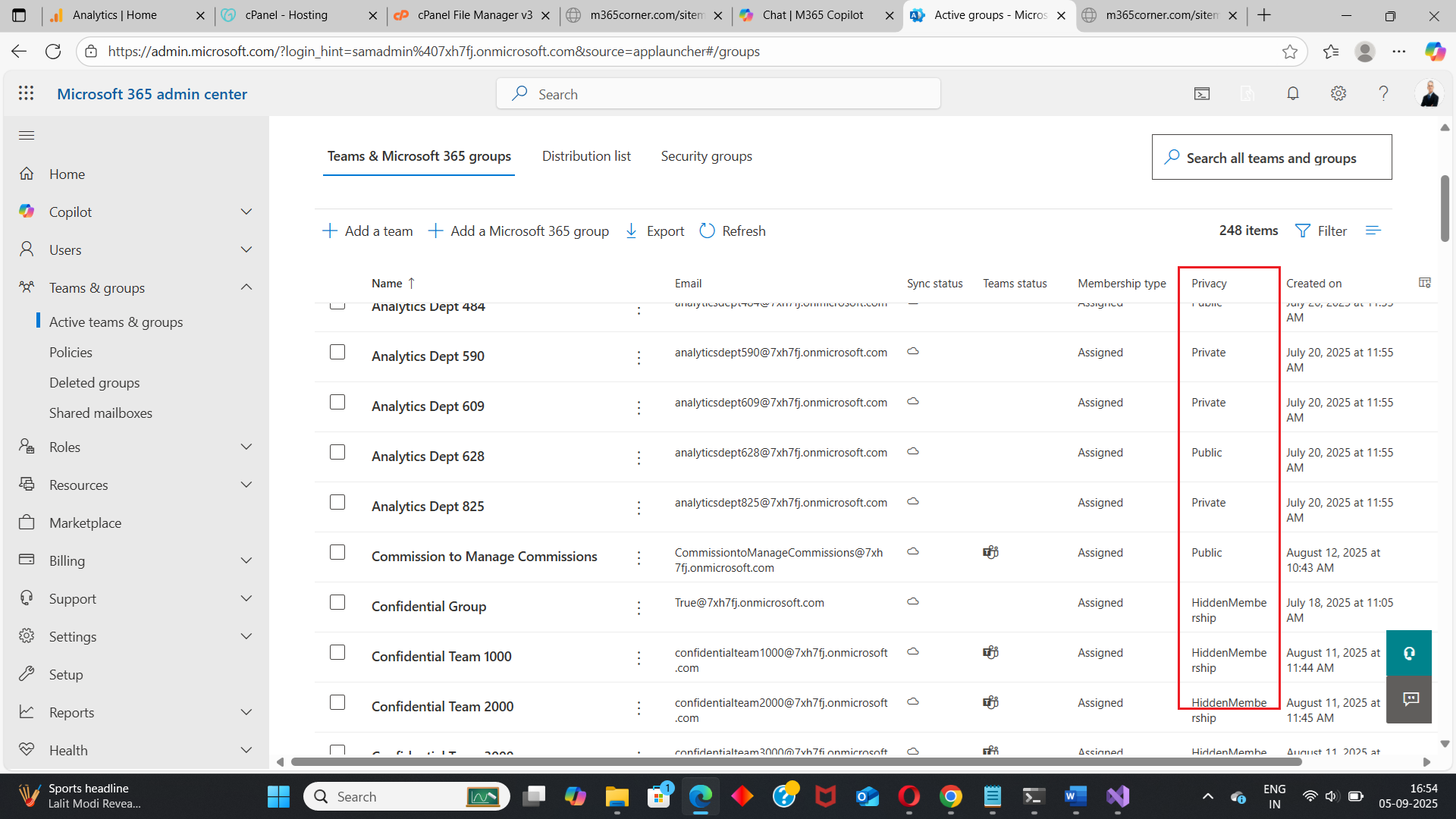
Admins must manually inspect each Team to determine its visibility.
The Microsoft Teams Admin Center improves visibility but still lacks reporting flexibility.
❌ Limitations
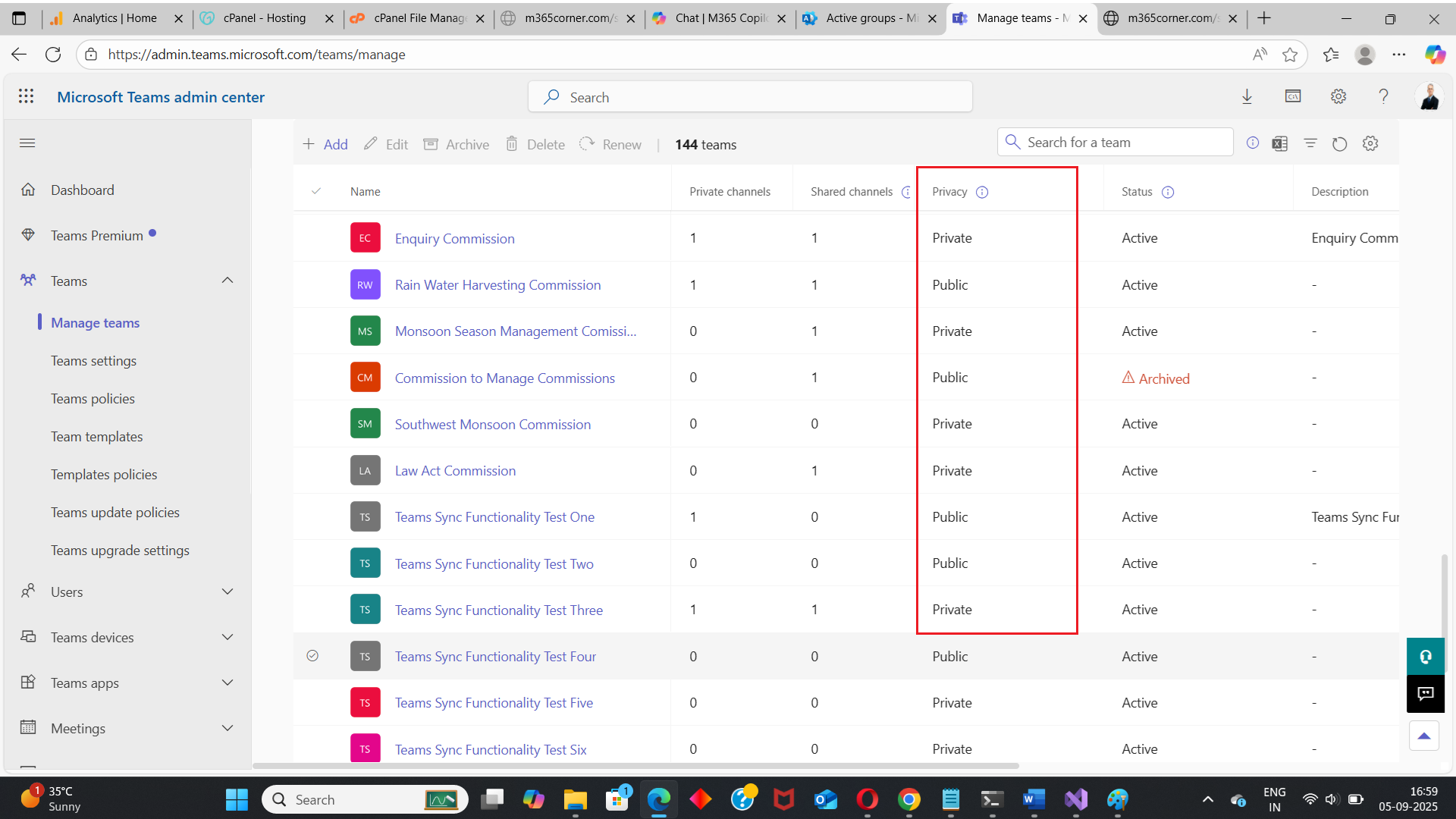
This makes it inefficient for tenants with many Teams.
Graph PowerShell allows admins to programmatically fetch only Public Microsoft Teams.
Reference Script:
https://m365corner.com/m365-powershell/email-public-teams-list-to-M365-admin-powershell.html
This approach typically:
⚠️ Downsides of PowerShell
For many admins, this is unnecessary complexity.
With the M365Corner Microsoft 365 Free Reporting Tool, generating an exclusive Public Teams Report is effortless.
👉 You can generate the Microsoft 365 Public Teams Report at the click of a button.
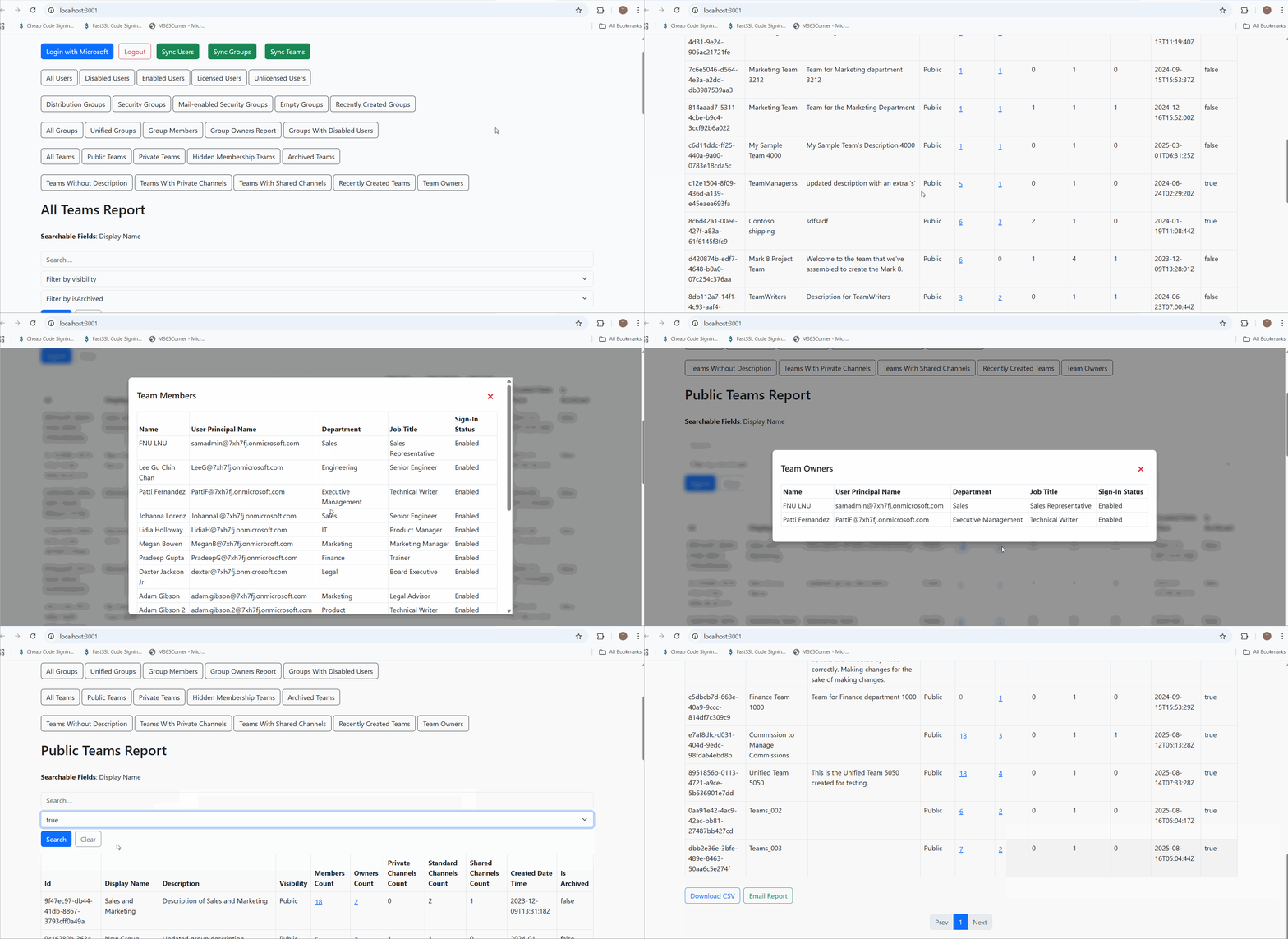
Why this helps admins
This dramatically quickens reporting, giving admins immediate clarity and helping them monitor open collaboration spaces effectively.
Explore Public Teams Report
- Learn More About Microsoft 365 Public Teams Report
https://m365corner.com/m365-free-tools/public-microsoft-teams-report.html
Understand what the report includes and how it helps manage public Teams. - Explore All Reports in the M365 Free Reporting Tool
https://m365corner.com/m365-free-tools/m365corner-reporting-tool.html
Discover all reports available in the M365 Free Reporting Tool. - 🔗 Download the Community Edition
https://github.com/m365corner/m365corner-reporting-tool-community-edition.git
Start using the M365 Free Reporting Tool Community Edition today.
Did You Know? Managing Microsoft 365 applications is even easier with automation. Try our Graph PowerShell scripts to automate tasks like generating reports, cleaning up inactive Teams, or assigning licenses efficiently.
Ready to get the most out of Microsoft 365 tools? Explore our free Microsoft 365 administration tools to simplify your administrative tasks and boost productivity.