Microsoft 365 Free Reporting Tool — Enabled Users Report
Knowing who currently has access to your Microsoft 365 tenant is one of the most fundamental security and governance requirements for any administrator. Yet, identifying all enabled users—and analyzing them meaningfully—is not as straightforward as it sounds using native tools.
The Microsoft 365 Enabled Users Report, available in the M365Corner M365 Free Reporting Tool (also known as the Microsoft 365 free community dashboard or Free M365 Community Dashboard), provides admins with instant, export-ready visibility into all users whose sign-ins are enabled.
Who Are Microsoft 365 Enabled Users?
Microsoft 365 enabled users are user accounts where sign-in access is allowed (AccountEnabled = True).
These users:
- Can authenticate to Microsoft 365 services
- May have licenses assigned
- Can access apps, data, and resources based on permissions
Enabled users typically include active employees, contractors, service accounts, and sometimes guest users—making visibility into this group essential.
Why Generate Microsoft 365 Enabled Users Report?
A Microsoft 365 Enabled Users Report helps admins maintain control and visibility across the tenant.
- ✔ Understand who currently has access
Know exactly which users can sign in and use Microsoft 365 services. - ✔ Support security reviews
Regularly validate that only the right users remain enabled. - ✔ Assist audits and compliance
Auditors often request a list of active (enabled) user accounts. - ✔ Improve access governance
Compare enabled users with licensing, department, and role data.
Without a centralized report, admins are forced into manual checks that don’t scale well.
How to Identify Enabled Users in Microsoft 365?
Admins usually rely on one of the following approaches.
- Using Microsoft 365 Admin Center
- Go to Users → Active users
- Manually apply Sign-in status = Allowed
- Filters must be set manually each time
- No filtering by Department or Job Title
- Limited reporting and export flexibility
- Not ideal for recurring audits
- Using Microsoft Entra ID Admin Center
- Navigate to Users
- Apply Account enabled = Yes filter manually
- Manual filtering required
- No department or job title–based filtering
- Not optimized for reporting or exports
- Using Graph PowerShell
- Requires PowerShell and Graph API expertise
- Scripts must be maintained and reused carefully
- Manual CSV export and formatting
- Not suitable for quick, non-technical reporting needs
- Using M365Corner Microsoft 365 Free Reporting Tool
- No scripts required
- No manual filtering
- Filter by Department, Job Title, and License status
- One-click CSV export
- Report Shareable via Mail
In the Microsoft 365 Admin Center:
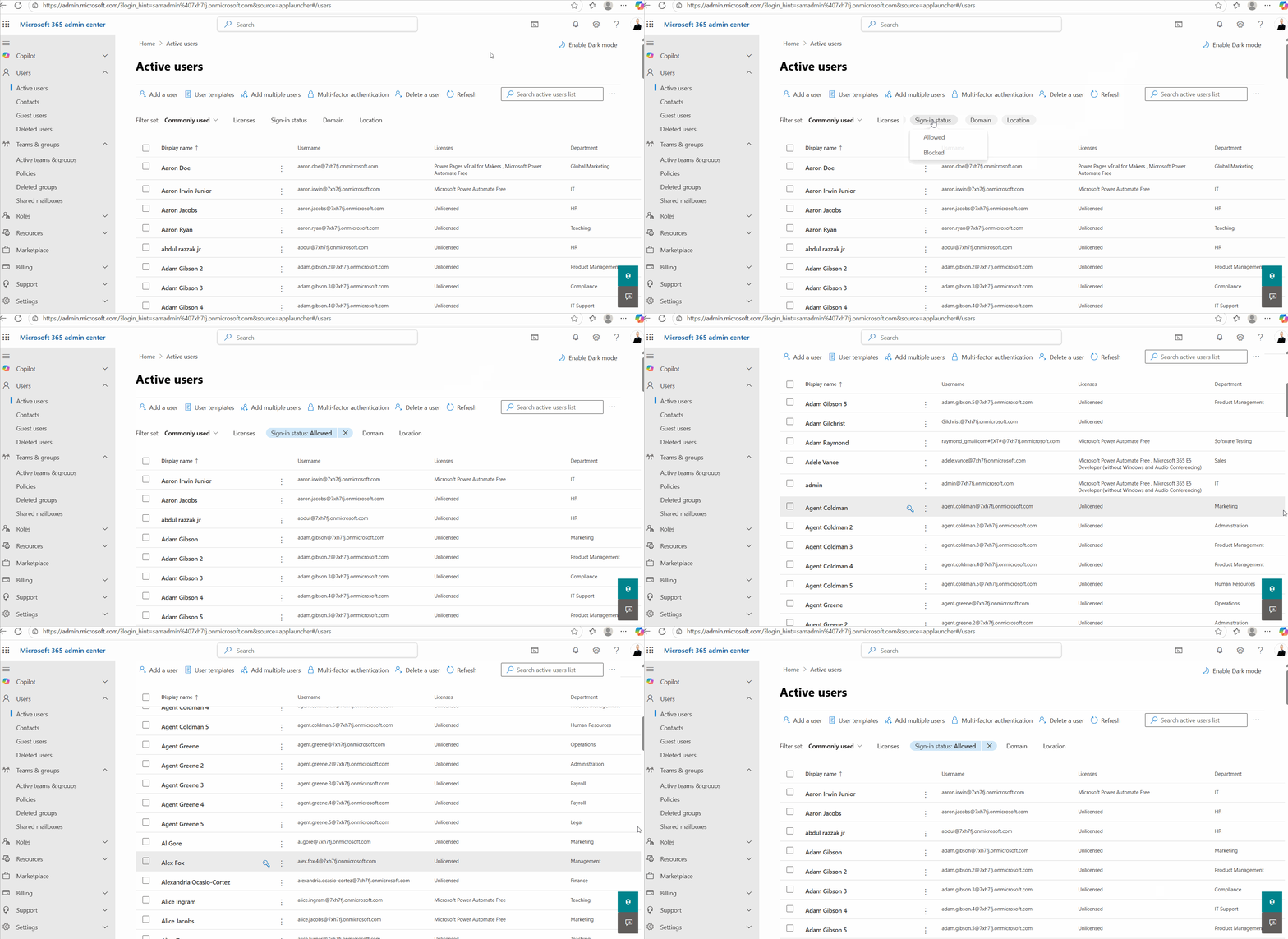
❌ Limitations
The Entra ID Admin Center provides similar functionality but with the same constraints.
Admins must:
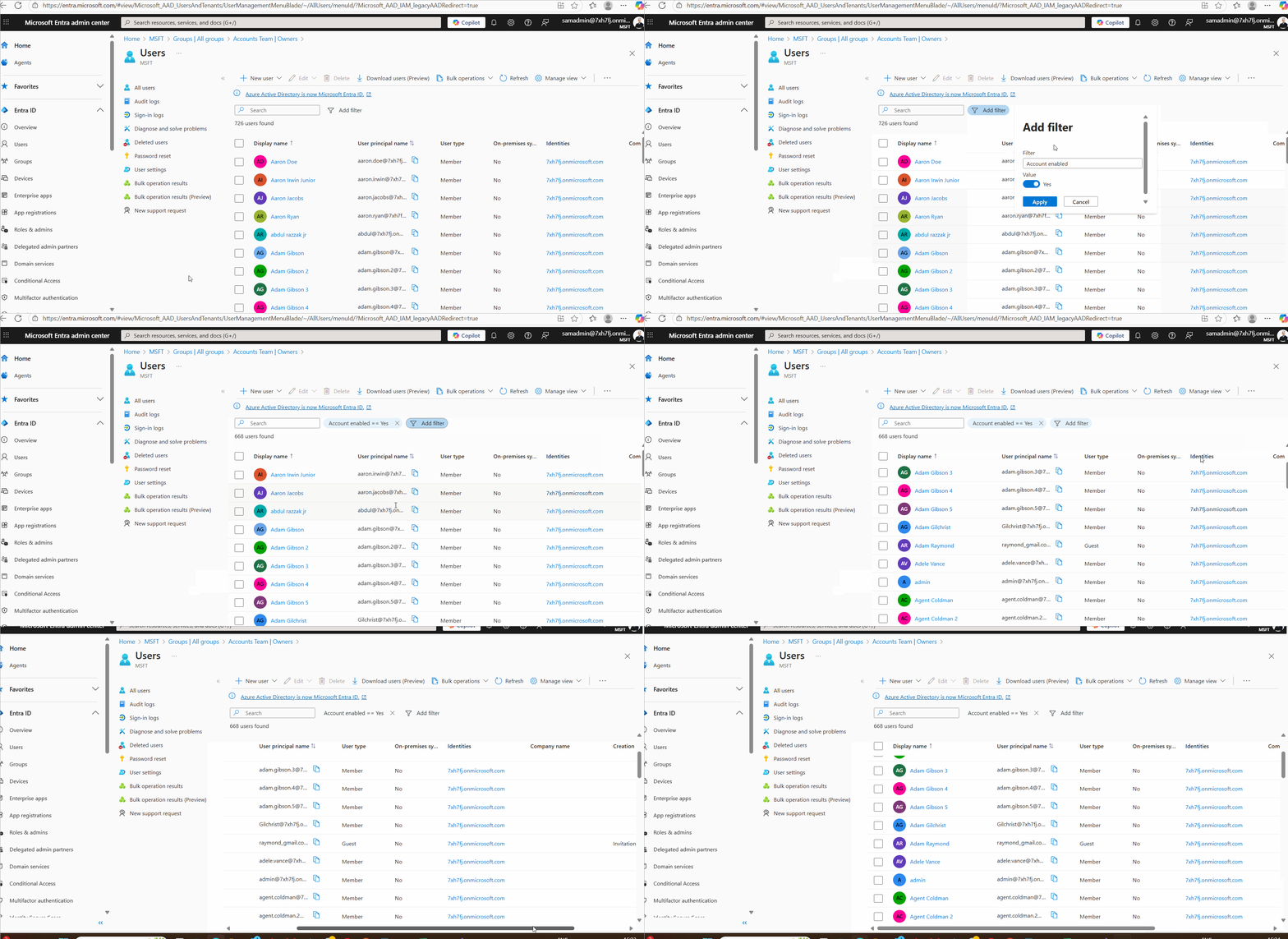
❌ Limitations
Graph PowerShell enables programmatic identification of enabled users but requires scripting knowledge.
Reference Article:
https://m365corner.com/m365-powershell/checking-for-sign-in-enabled-m365-users-using-graph-powershell.html
Typical PowerShell logic involves filtering users where AccountEnabled is set to True.
⚠️ Downsides of PowerShell
This is where the Free M365 Community Dashboard clearly stands out.
With the M365Corner Microsoft 365 Free Reporting Tool, generating the Microsoft 365 Enabled Users Report is effortless.
👉 You can generate the Microsoft 365 Enabled Users Report at the click of a button.
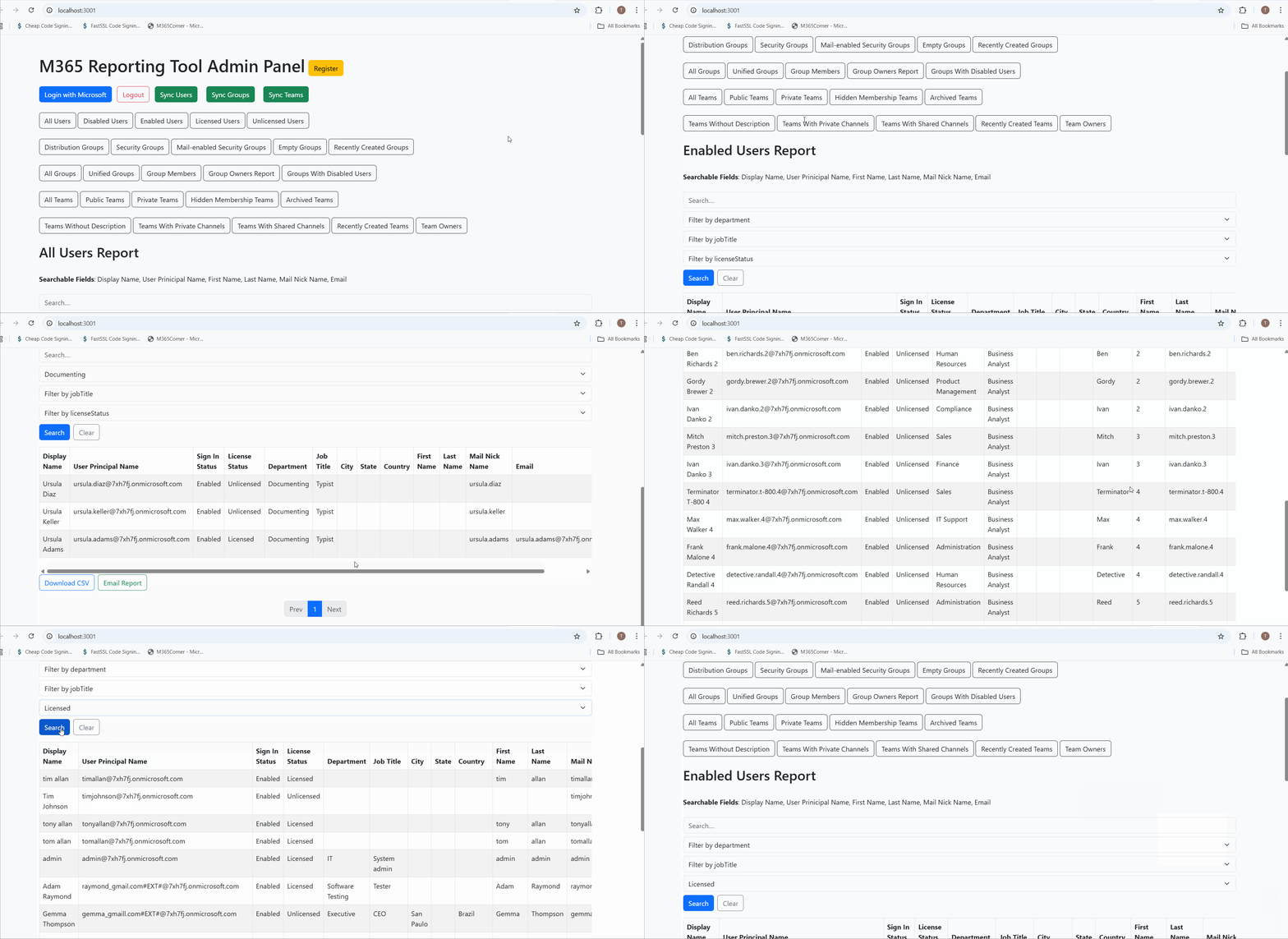
Why this helps admins
This significantly quickens reporting and gives admins clear, immediate insight into who currently has access to the tenant.
Explore Groups With Disabled Users Report
- Learn More About Microsoft 365 Enabled Users Report
- Explore All Reports in the M365 Free Reporting Tool
- Download the Community Edition
https://m365corner.com/m365-free-tools/microsoft-365-enabled-user-report.html
See what the report includes and how it supports access governance.
https://m365corner.com/m365-free-tools/m365corner-reporting-tool.html
Discover all reports available in the Microsoft 365 free community dashboard.
https://github.com/m365corner/m365corner-reporting-tool-community-edition.git
Start using the Free M365 Community Dashboard today.
Did You Know? Managing Microsoft 365 applications is even easier with automation. Try our Graph PowerShell scripts to automate tasks like generating reports, cleaning up inactive Teams, or assigning licenses efficiently.
Ready to get the most out of Microsoft 365 tools? Explore our free Microsoft 365 administration tools to simplify your administrative tasks and boost productivity.