Get-MgSecurityAlert: Graph PowerShell Cmdlet
Microsoft Entra ID and Microsoft security services generate security alerts to notify administrators about suspicious or risky activities across the tenant. Reviewing these alerts programmatically is essential for incident response, monitoring, and reporting.
The Get-MgSecurityAlert cmdlet allows administrators to retrieve security alerts from Microsoft Graph, either individually (by Alert ID) or in bulk, and export them for further analysis.
Required permission scope: SecurityEvents.Read.All
🚀 Community Edition Released!
Try the M365Corner Microsoft 365 Reporting Tool — your DIY pack with 20+ out-of-the-box M365 reports for Users, Groups, and Teams.
i) Cmdlet Syntax
Get-MgSecurityAlert [-AlertId <String>]Key parameter:
- -AlertId: Specifies the unique ID of a security alert. If omitted, the cmdlet retrieves all available security alerts.
ii) Usage Examples
Example 1: Passing AlertId when requested by the console
Get-MgSecurityAlert
Explanation:
When executed without parameters, the console prompts you to provide an AlertId. Once entered, the cmdlet retrieves details for that specific security alert.
Example 2: Passing AlertId directly
Get-MgSecurityAlert -AlertID 16330963dcb9bce6fa9a14994a968946ae8f625a10483b414c87dedb40e1afa2 |Select-Object *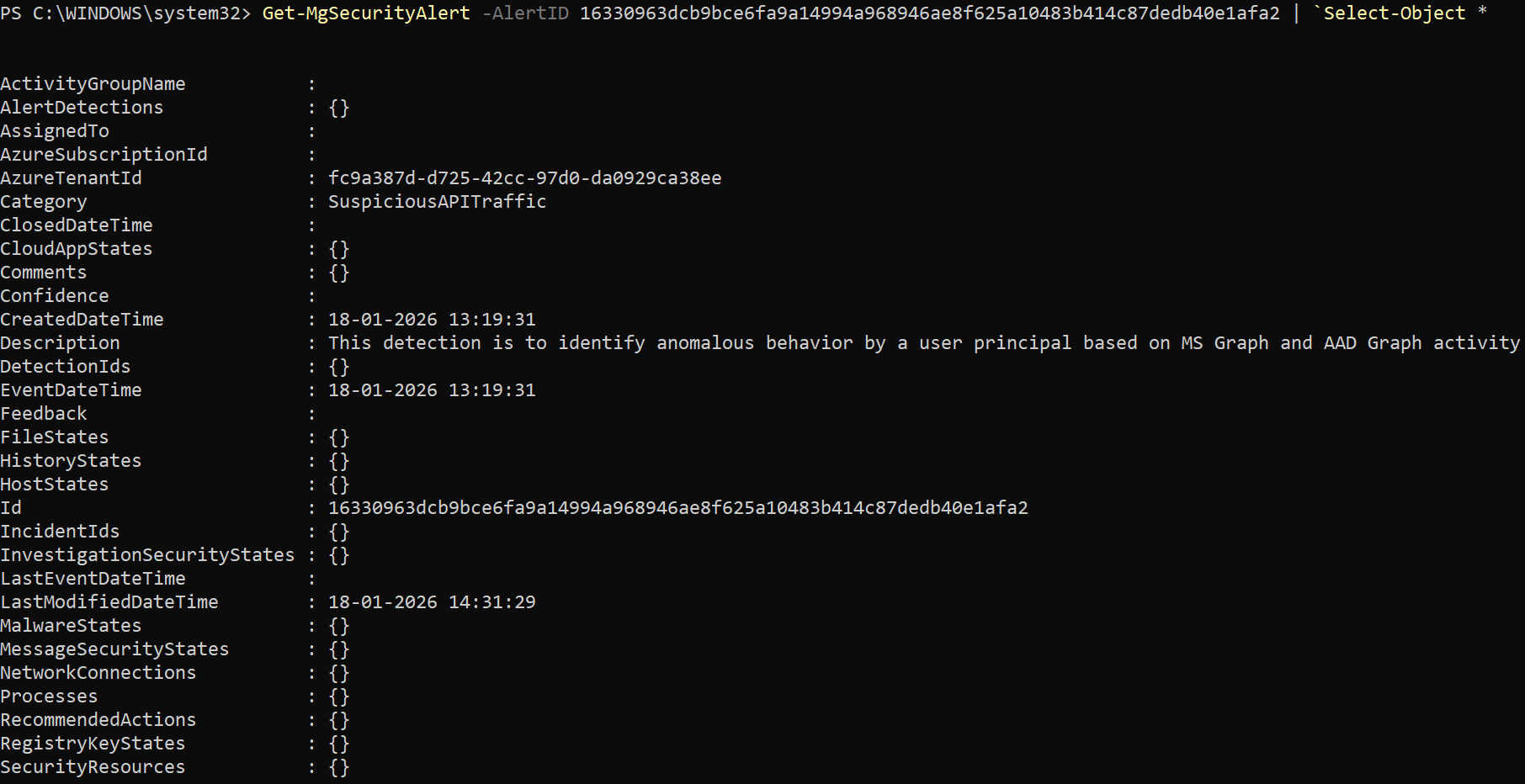
Explanation:
Fetches the complete details of a specific security alert, including severity, category, status, and related entities.
Example 3: Exporting the results to CSV
Get-MgSecurityAlert |Export-Csv "d:/securityalerts.csv"Explanation:
Retrieves all available security alerts and exports them to a CSV file, which is useful for audits, investigations, or sharing with security teams.
iii) Cmdlet Tips
- Ensure the SecurityEvents.Read.All permission is granted with admin consent before running this cmdlet.
- Use Select-Object to limit output to relevant fields such as severity, status, and category.
- Exporting alerts to CSV is helpful for incident tracking and compliance documentation.
- Combine with filtering and sorting to prioritize high-severity alerts first.
- Ideal for building automated security monitoring or reporting scripts.
iv) Possible Errors & Solutions
| Error / Message | Cause | Solution |
| Authorization_RequestDenied | Missing permissions | Grant SecurityEvents.Read.All and reauthenticate. |
| ResourceNotFound | Invalid AlertId | Verify the alert ID from the security portal or prior query. |
| Empty output | No alerts available | Confirm alerts exist in the tenant or broaden the query scope. |
| Cmdlet not recognized | Microsoft.Graph module missing | Install or update using Install-Module Microsoft.Graph. |
v) Conclusion
The Get-MgSecurityAlert cmdlet provides administrators with a direct and efficient way to access security alert data from Microsoft Graph. Whether you are investigating a specific incident or exporting alerts for reporting and audits, this cmdlet plays a key role in strengthening security visibility and response across your Microsoft 365 tenant.