Get-MgRoleManagementDirectoryRoleEligibilityScheduleInstance
In Microsoft Entra ID, Privileged Identity Management (PIM) doesn’t just define who can be eligible for a role—it also maintains instances that represent the effective, resolved view of those eligibility schedules.
The Get-MgRoleManagementDirectoryRoleEligibilityScheduleInstance cmdlet allows administrators to retrieve these role eligibility schedule instances, providing a clear picture of which principals are currently eligible for directory roles and how those eligibilities are applied.
This cmdlet is especially useful for security audits, access reviews, and PIM governance checks.
🚀 Community Edition Released!
Try the M365Corner Microsoft 365 Reporting Tool — your DIY pack with 20+ out-of-the-box M365 reports for Users, Groups, and Teams.
i) Cmdlet Syntax
Get-MgRoleManagementDirectoryRoleEligibilityScheduleInstanceThis cmdlet does not require mandatory parameters and retrieves role eligibility schedule instances across the tenant.
ii) Usage Examples
Example 1: Executing the cmdlet without parameters
Get-MgRoleManagementDirectoryRoleEligibilityScheduleInstance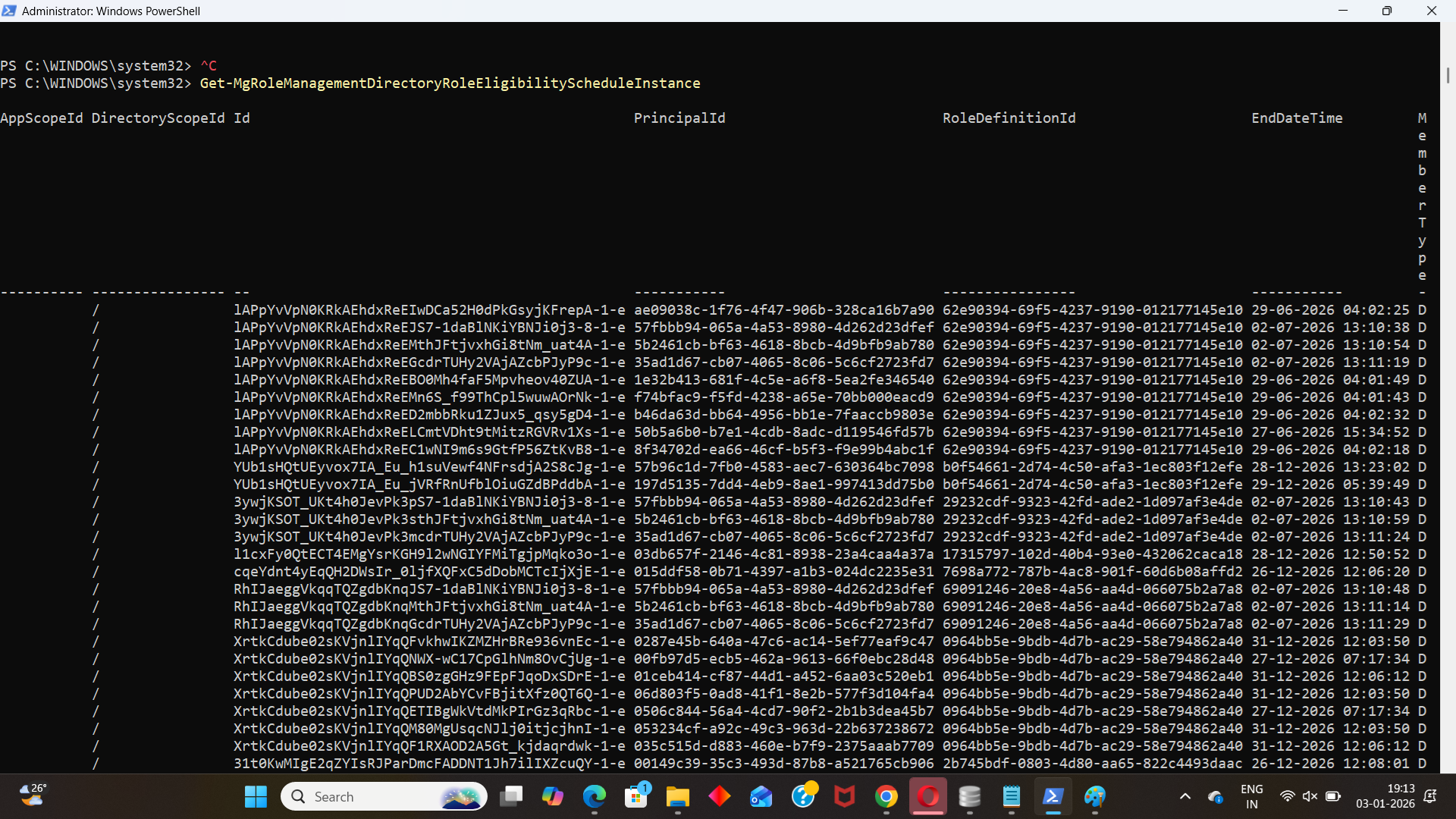
Explanation:
Returns all role eligibility schedule instances in the tenant. The output includes details such as principal ID, role definition ID, membership type, and other instance-level properties.
Example 2: Selecting only specific fields
Get-MgRoleManagementDirectoryRoleEligibilityScheduleInstance | Select Id, PrincipalId, RoleDefinitionId, MemberType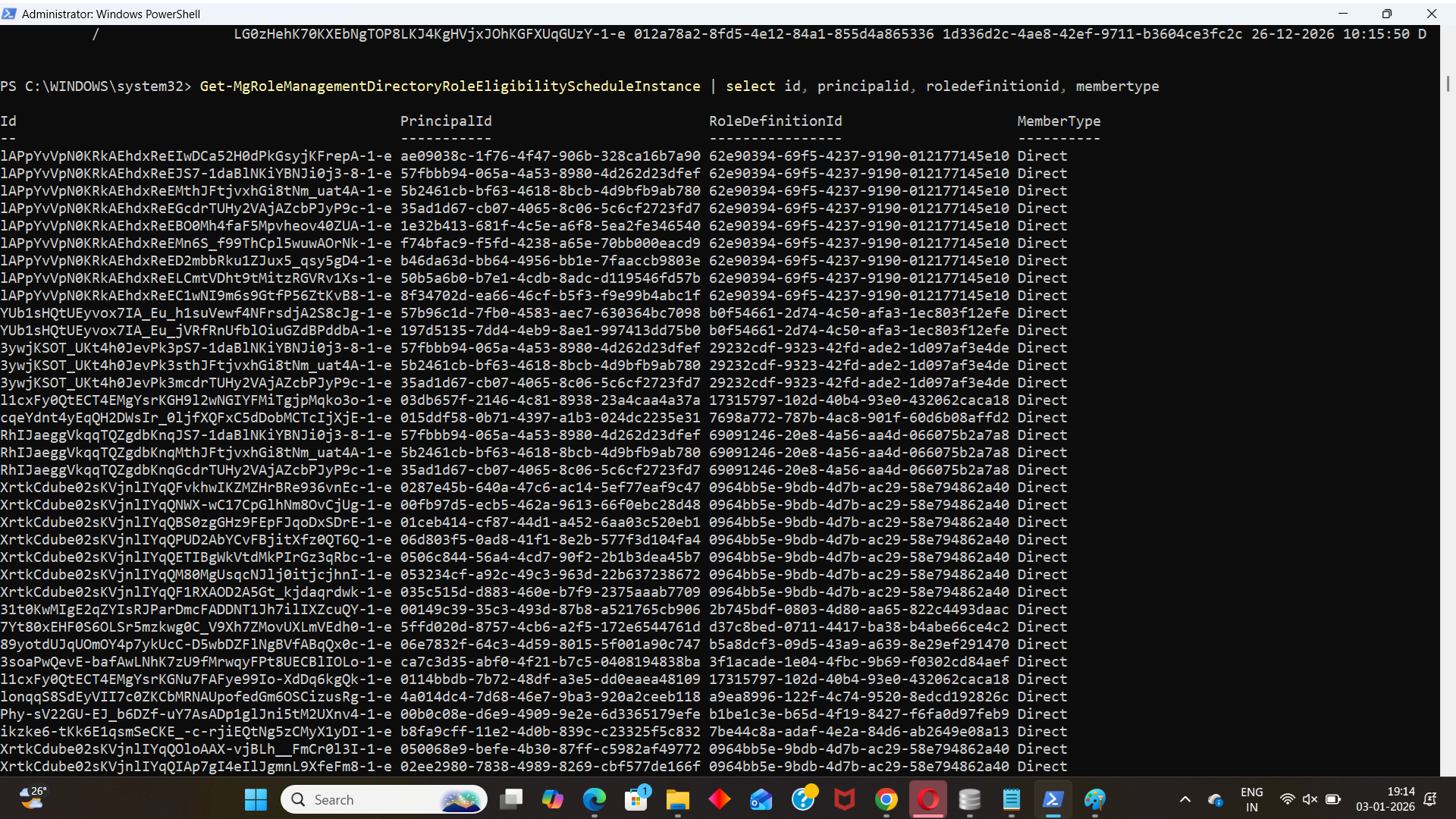
Explanation:
Filters the output to display only the most relevant fields, making it easier to review which principals are eligible for which directory roles.
Example 3: Exporting results to CSV
Get-MgRoleManagementDirectoryRoleEligibilityScheduleInstance | Export-Csv "rolemanagementdirectoryroleeligibilityscheduleinstances.csv"Explanation:
Exports all role eligibility schedule instances to a CSV file. This is useful for compliance reporting, offline analysis, or sharing data with auditors and security teams.
iii) Cmdlet Tips
- This cmdlet returns instances, not schedules—instances represent the effective state derived from eligibility schedules.
- Use it alongside role eligibility schedule cmdlets to get a complete picture of PIM configuration.
- Combine with Select-Object to reduce output noise and focus on key properties.
- Exporting results to CSV is recommended for audit trails and evidence collection.
iv) Possible Errors & Solutions
| Error / Message | Cause | Solution |
| Authorization_RequestDenied | Insufficient permissions | Grant RoleManagement.Read.Directory or Directory.Read.All with admin consent. |
| Cmdlet not recognized | Microsoft.Graph module missing or outdated | Install or update using Install-Module Microsoft.Graph. |
| Empty output | No role eligibility instances available | Verify that PIM is enabled and role eligibilities are configured. |
| CSV export fails | Invalid file path or permissions | Ensure the path exists and you have write access. |
v) Conclusion
The Get-MgRoleManagementDirectoryRoleEligibilityScheduleInstance cmdlet provides administrators with valuable visibility into the effective role eligibility state in Microsoft Entra ID. By leveraging this cmdlet, you can support audits, strengthen governance, and maintain tighter control over privileged access within your tenant—while keeping reporting simple and efficient.