Get-MgGroupMemberOfAsGroup – Retrieve Group Membership (Nested Groups) Using Graph PowerShell
Understanding group-to-group relationships is crucial in Microsoft Entra ID (Azure AD), especially when dealing with nested groups. The Get-MgGroupMemberOfAsGroup cmdlet helps administrators identify which groups a given group is a member of.
This is particularly useful for access reviews, role inheritance analysis, and troubleshooting complex group hierarchies.
🚀 Community Edition Released!
Try the M365Corner Microsoft 365 Reporting Tool — your DIY pack with 20+ out-of-the-box M365 reports for Users, Groups, and Teams.
Cmdlet Syntax
Get-MgGroupMemberOfAsGroup [-GroupId <String>]Usage Examples
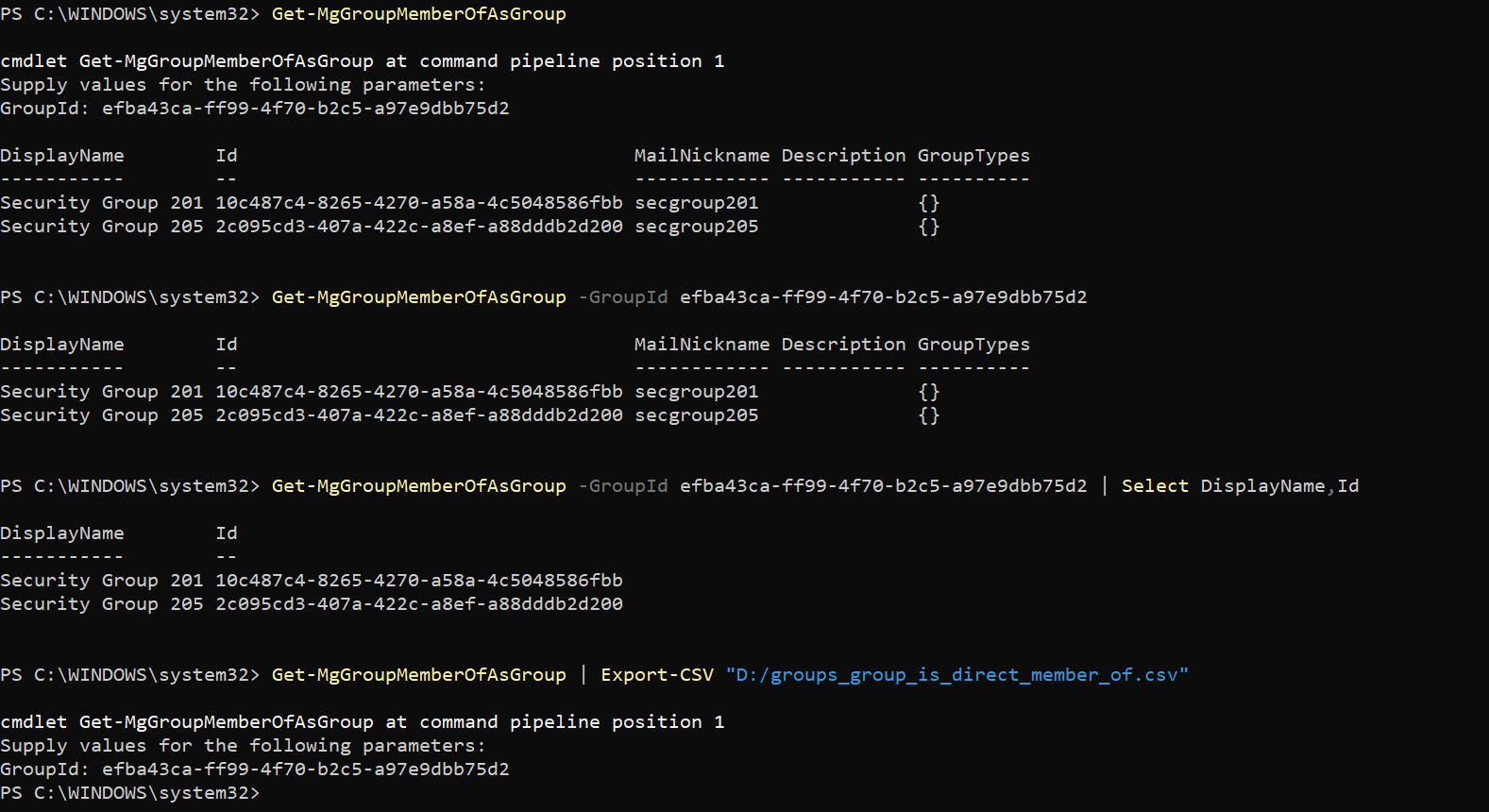
Entering GroupID When Prompted by PS Console
Get-MgGroupMemberOfAsGroupIf -GroupId is not provided, PowerShell will prompt you to enter the Group ID.
Passing GroupID Parameter Directly
Get-MgGroupMemberOfAsGroup -GroupId efba43ca-ff99-4f70-b2c5-a97e9dbb75d2Retrieves all groups that the specified group is a member of (nested group memberships).
Selecting Only Specific Group Member Properties
Get-MgGroupMemberOfAsGroup -GroupId efba43ca-ff99-4f70-b2c5-a97e9dbb75d2 | Select DisplayName,IdHelps in focusing only on essential properties like group name and ID.
Exporting Group Membership Details to CSV
Get-MgGroupMemberOfAsGroup | Export-CSV "D:/groups_group_is_direct_member_of.csv"Exports the list of parent groups (nested memberships) to a CSV file for reporting or auditing.
Cmdlet Tips
- Focus on Nested Groups
- Useful for Hierarchy Analysis
- Use Select for Clean Output
- Combine with Other Cmdlets
- Get-MgGroupMember → to get direct members
- Get-MgGroupTransitiveMemberOf → for full hierarchy
- Permissions Required
- Group.Read.All
- Directory.Read.All
This cmdlet returns only groups, not users or service principals.
Helps identify parent groups in complex group structures.
Avoid clutter by selecting only required fields:
... | Select DisplayName,Id
Use alongside:
Ensure required permissions:
Use Cases
- Nested Group Analysis
- Access Troubleshooting
- Security Audits
- Role Mapping
- Migration Planning
Identify parent groups for a given group.
Understand inherited access through nested group membership.
Detect unintended group nesting that may grant excessive permissions.
Map group relationships for RBAC or policy enforcement.
Analyze dependencies before restructuring groups.
Frequently Asked Questions
- What does Get-MgGroupMemberOfAsGroup cmdlet return?
- Does Get-MgGroupMemberOfAsGroup cmdlet return users or service principals?
- Is Get-MgGroupMemberOfAsGroup different from Get-MgGroupMember?
- Get-MgGroupMember → returns members inside a group
- Get-MgGroupMemberOfAsGroup → returns groups that the group belongs to
- Can I get transitive memberships?
- Is GroupId mandatory?
It returns groups that the specified group is a member of (i.e., parent groups).
❌ No. ✔️ Only group objects are returned.
✔️ Yes
❌ Not directly with this cmdlet ✔️ Use: Get-MgGroupTransitiveMemberOf
⚠️ Optional, but recommended
If omitted → PowerShell prompts for input
Possible Errors & Solutions
| Error | Cause | Solution |
|---|---|---|
| Insufficient privileges to complete the operation | Missing required Graph API permissions. |
Connect with appropriate scopes: Connect-MgGraph -Scopes "Group.Read.All","Directory.Read.All" |
| Resource not found | Invalid or incorrect GroupId. |
Verify Group ID: Get-MgGroup | Select DisplayName,Id |
| Empty results returned |
|
Validate membership using: Get-MgGroupMemberOf -GroupId <GroupId> |
Conclusion
The Get-MgGroupMemberOfAsGroup cmdlet is a valuable tool for understanding group nesting and hierarchy in Microsoft Entra ID. It provides clear visibility into parent group relationships, helping administrators manage access, troubleshoot permissions, and maintain secure group structures.
When combined with other Graph PowerShell cmdlets, it becomes an essential part of any group auditing and governance strategy.