Get-EXOMailboxPermission PowerShell: Export Mailbox Permissions in Microsoft 365
Get-EXOMailboxPermission helps Microsoft 365 admins retrieve mailbox-level permissions in Exchange Online. It is useful when you want to check who has access to a user mailbox or shared mailbox.
Note: This is an Exchange Online PowerShell cmdlet, not a Microsoft Graph PowerShell cmdlet. Graph PowerShell does not yet support cmdlets for retrieving detailed mailbox permissions.
Prerequisites
- Install Exchange Online Module
Install-Module -Name ExchangeOnlineManagement -ForceConnect-ExchangeOnline -UserPrincipalName Admin@Crescent.com -ShowBanner:$false🚀 Community Edition Released!
Try the M365Corner Microsoft 365 Reporting Tool — your DIY pack with 20+ out-of-the-box M365 reports for Users, Groups, and Teams.
Cmdlet Syntax
Get-EXOMailboxPermission -Identity <MailboxIdentity>Usage Examples
- Fetch Mailbox Permissions
- Output the Results to GridView
- Export the Results to CSV
Get-EXOMailboxPermission -Identity "waqar@w4l0s.onmicrosoft.com"This command fetches permissions assigned to the specified mailbox.
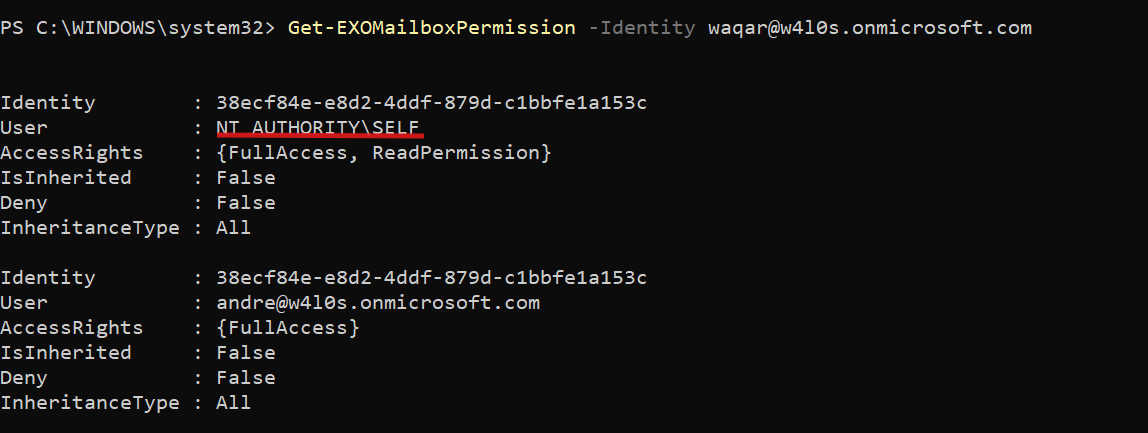
Note: Executing Get-MailboxPermission without any filter also displays the self-permission of the mailbox user when querying a user mailbox. The pipeline command Where { $_.User -ne "NT AUTHORITY\SELF"} filters out the default self-permission entry.
Get-EXOMailboxPermission -Identity "waqar@w4l0s.onmicrosoft.com" | Where { $_.User -ne "NT AUTHORITY\SELF"}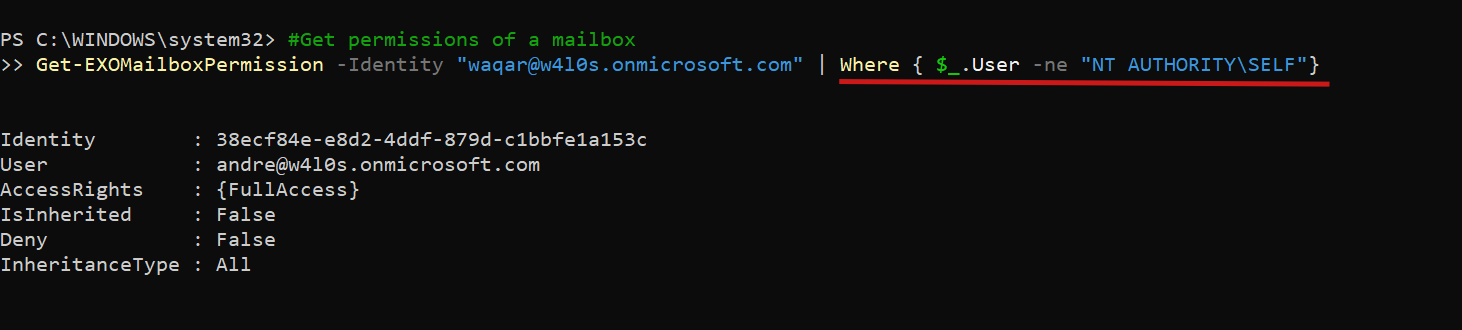
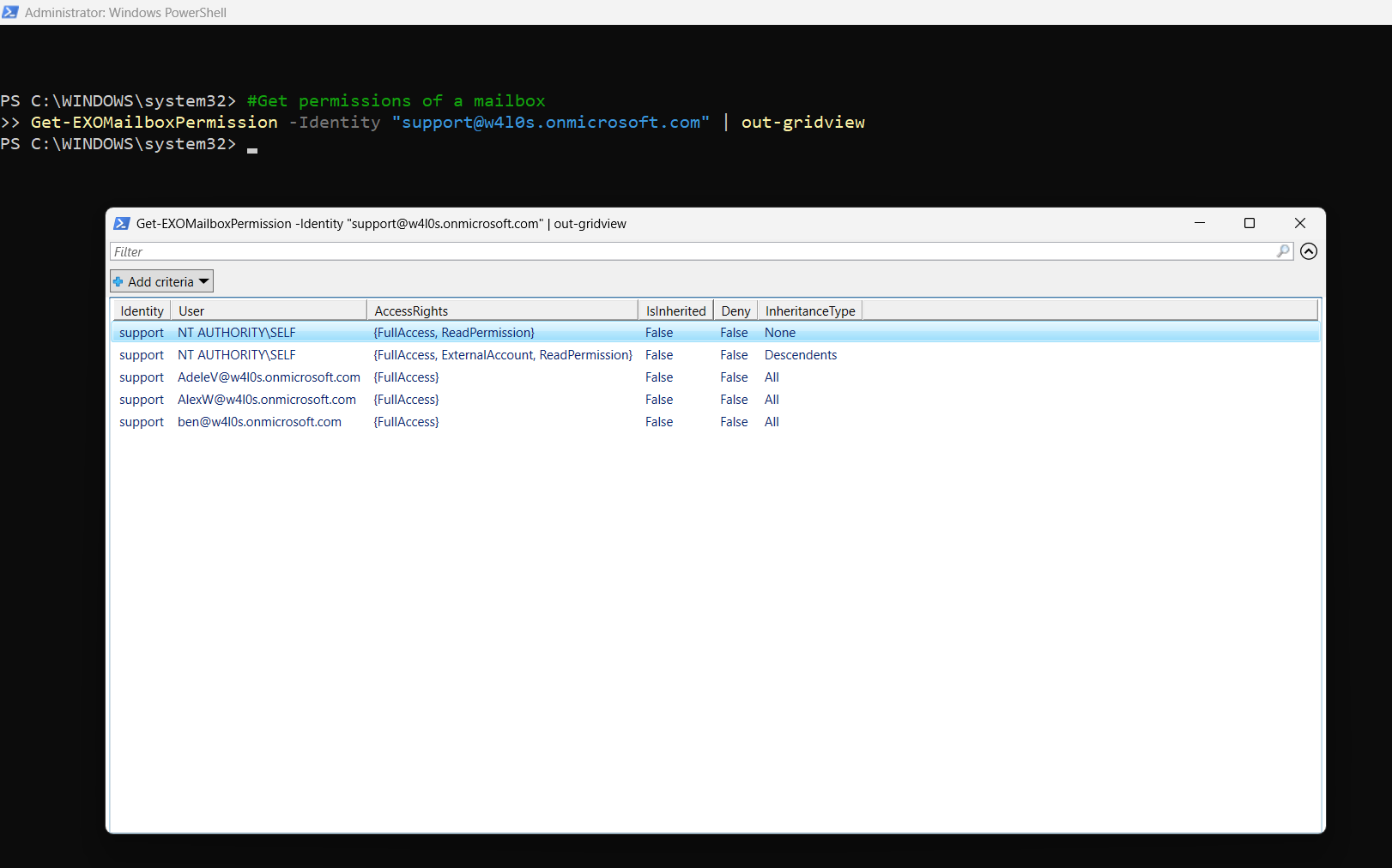
Get-EXOMailboxPermission -Identity "support@w4l0s.onmicrosoft.com" | Out-GridViewUse this when you want an easy-to-filter, readable view of mailbox permissions.
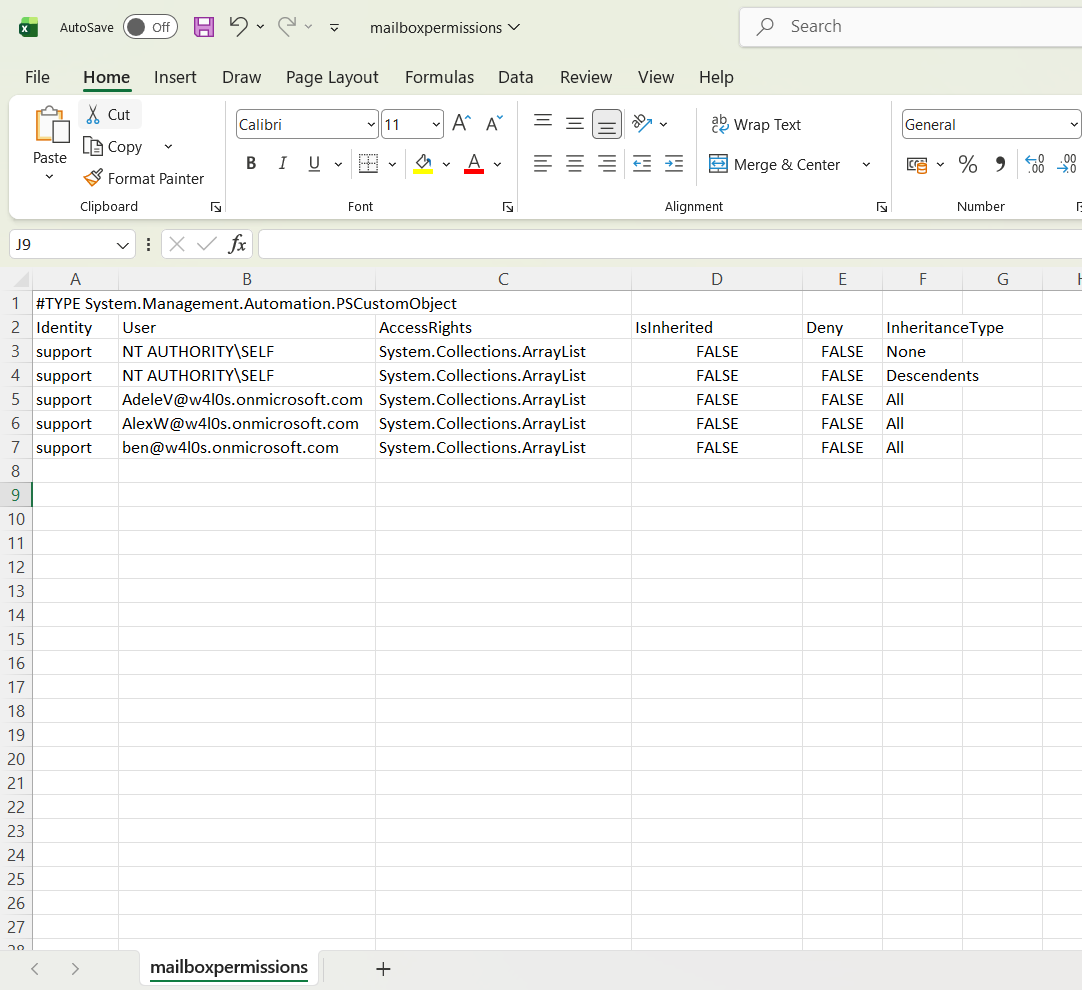
Get-EXOMailboxPermission -Identity "support@w4l0s.onmicrosoft.com" | Export-CSV "D:/mailboxpermissions.csv"This exports mailbox permission details to a CSV file for audit or reference.
Cmdlet Tips
- Use Get-EXOMailboxPermission for Exchange Online mailbox permission checks.
- Use Where { $_.User -ne "NT AUTHORITY\SELF"} to remove default self-permission entries.
- Use Out-GridView when reviewing permissions manually.
- Use Export-CSV when preparing audit reports.
- FullAccess allows a user to open and access mailbox contents, but it does not grant Send As permission.
Use Cases
- Audit who has access to user mailboxes.
- Review shared mailbox permissions.
- Identify users with Full Access permissions.
- Export mailbox permissions for compliance checks.
- Clean up outdated permissions after employee role changes.
Frequently Asked Questions
- What does Get-EXOMailboxPermission do?
- Is Get-EXOMailboxPermission a Graph PowerShell cmdlet?
- Why do I see NT AUTHORITY\SELF in the output?
- Can I export mailbox permissions to CSV?
It retrieves mailbox permissions in Exchange Online.
No. It belongs to the Exchange Online PowerShell module.
It represents the mailbox user’s default self-permission. Use the Where filter shown above to remove it from the output.
Yes. Pipe the output to Export-CSV.
Possible Errors & Solutions
| Error | Cause | Solution |
|---|---|---|
| Get-EXOMailboxPermission is not recognized | Exchange Online module is missing or not loaded. | Install/import the ExchangeOnlineManagement module. |
| The term Connect-ExchangeOnline is not recognized | Module not installed correctly. | Run Install-Module -Name ExchangeOnlineManagement -Force. |
| Access Denied | Admin account lacks required Exchange permissions. | Use an Exchange admin or Global admin account. |
| Empty or limited output | Wrong mailbox identity or insufficient permissions. | Verify the mailbox email address and admin role. |
| CSV file not created | Invalid path or permission issue. | Check folder path and write permissions. |
Conclusion
Get-EXOMailboxPermission is a useful Exchange Online PowerShell cmdlet for checking mailbox access in Microsoft 365. For day-to-day admin work, combine it with filters, Out-GridView, and Export-CSV to make mailbox permission reviews faster and cleaner.