Find Entra ID Applications with High-Risk API Permissions and No Owners Using Graph PowerShell
Application registrations in Microsoft Entra ID often require API permissions to integrate with Microsoft 365 services. Some permissions are considered high risk because they allow applications to read or modify sensitive organizational data.
Examples include:
- Directory.ReadWrite.All
- User.ReadWrite.All
- Application.ReadWrite.All
While these permissions can be necessary for automation or integrations, they become particularly dangerous when no application owner is assigned. Without an owner, there is no responsible administrator to monitor, maintain, or review the application's access.
This Graph PowerShell script helps administrators identify applications that have high-risk API permissions but no assigned owners, enabling faster security reviews and governance actions.
🚀 Community Edition Released!
Try the M365Corner Microsoft 365 Reporting Tool — your DIY pack with 20+ out-of-the-box M365 reports for Users, Groups, and Teams.
The Script
Below is the script that scans Entra ID applications for high-risk API permissions where no owners are assigned.
# Connect to Microsoft Graph
Connect-MgGraph -Scopes Application.Read.All, Directory.Read.All

Write-Host "Scanning applications for HIGH-RISK permissions with NO owners..." -ForegroundColor Cyan

# Define high-risk permissions
$HighRiskPermissions = @(
"Directory.ReadWrite.All",
"User.ReadWrite.All",
"Application.ReadWrite.All",
"RoleManagement.ReadWrite.Directory",
"Group.ReadWrite.All",
"Mail.ReadWrite",
"Files.ReadWrite.All"
)

# Get all applications
$Applications = Get-MgApplication -All -Property Id,DisplayName,RequiredResourceAccess

$Results = @()

foreach ($App in $Applications) {

    # Check owners first
    $Owners = Get-MgApplicationOwner -ApplicationId $App.Id

    if ($Owners) {
        continue
    }

    $MatchedPermissions = @()

    foreach ($Resource in $App.RequiredResourceAccess) {

        foreach ($Access in $Resource.ResourceAccess) {

            $PermissionId = $Access.Id

            # Resolve permission names
            $ServicePrincipal = Get-MgServicePrincipal -Filter "appId eq '$($Resource.ResourceAppId)'" -Property AppRoles,Oauth2PermissionScopes

            $PermissionName = ($ServicePrincipal.AppRoles + $ServicePrincipal.Oauth2PermissionScopes | Where-Object {$_.Id -eq $PermissionId}).Value

            if ($HighRiskPermissions -contains $PermissionName) {

                $MatchedPermissions += $PermissionName
            }
        }
    }

    if ($MatchedPermissions.Count -gt 0) {

        Write-Host "$($App.DisplayName)" -ForegroundColor Red

        $Results += [PSCustomObject]@{
            ApplicationName      = $App.DisplayName
            ApplicationId        = $App.Id
            OwnerStatus          = "No Owner Assigned"
            HighRiskPermissions  = ($MatchedPermissions -join ", ")
        }
    }
}

# Export results
$ExportPath = "D:\HighRiskApps_NoOwners_Report.csv"

$Results | Export-Csv $ExportPath -NoTypeInformation

Write-Host "Report exported to $ExportPath" -ForegroundColor Cyan
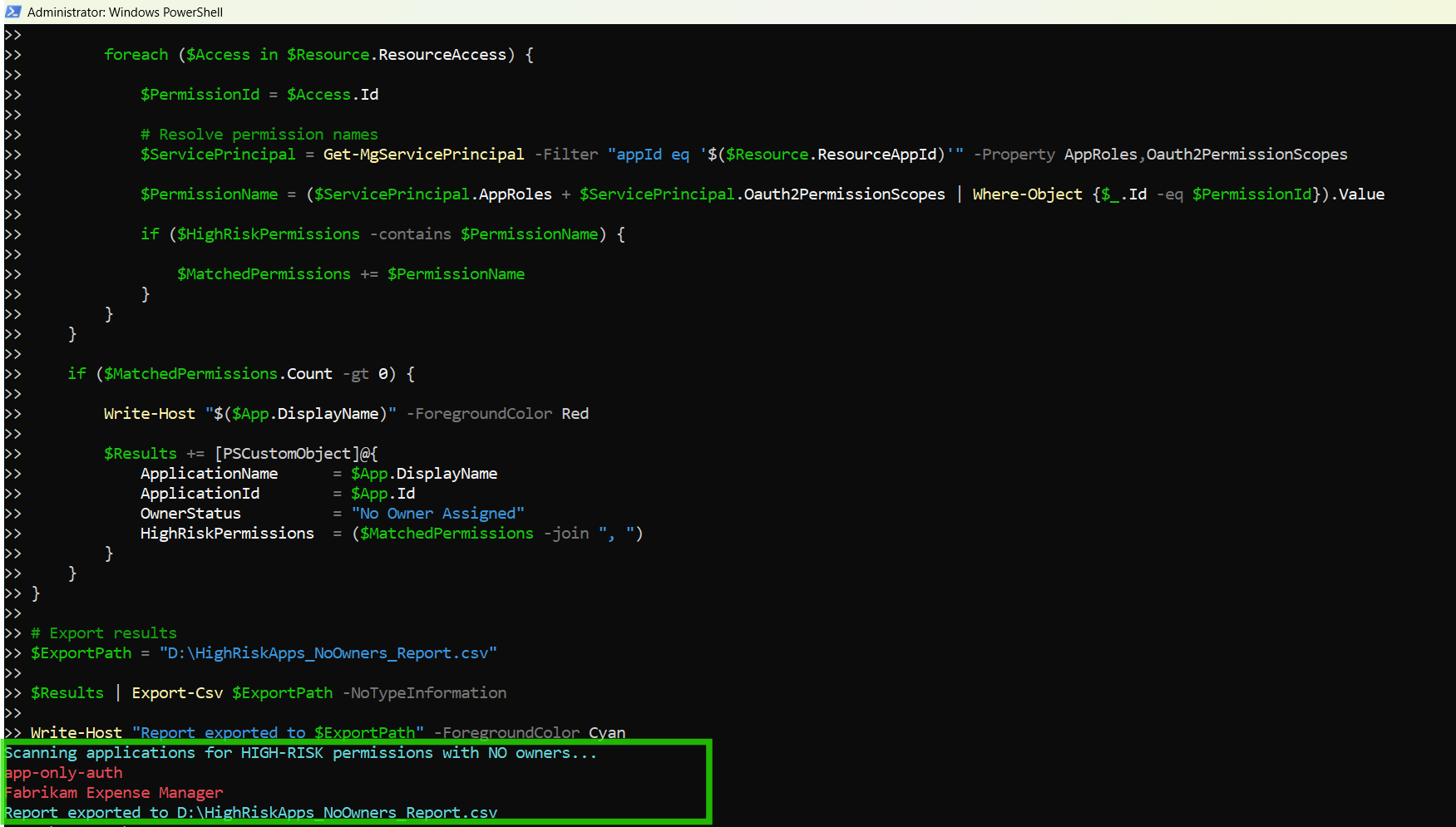

How the Script Works
This script performs several checks to identify applications that combine two major security risks:
- High-risk API permissions
- No assigned owners
Let’s break down how it works.
- Connect to Microsoft Graph
- Define High-Risk API Permissions
- Modify directory objects
- Manage users and groups
- Access mailboxes
- Modify files across the tenant
- Retrieve All Entra ID Applications
- Check if the Application Has Owners
- Resolve Permission Names
- AppRoles
- Oauth2PermissionScopes
- Detect High-Risk Permissions
- Record Risky Applications
- Application Name
- Application ID
- Owner Status
- High-Risk Permissions
- Export the Report
Connect-MgGraph -Scopes Application.Read.All, Directory.Read.AllThe script authenticates to Microsoft Graph using two permissions:
| Permission | Purpose |
|---|---|
| Application.Read.All | Retrieve application registration details |
| Directory.Read.All | Access directory data such as application owners |
These permissions allow the script to examine both API permissions and ownership information.
$HighRiskPermissions = @( ... )A predefined list of high-risk permissions is stored in an array.
These permissions allow applications to:
Administrators can expand this list to match their internal security policies.
$Applications = Get-MgApplication -All -Property Id,DisplayName,RequiredResourceAccessThis command retrieves all application registrations in the tenant.
Key properties retrieved include:
| Property | Description |
|---|---|
| Id | Unique application identifier |
| DisplayName | Application name |
| RequiredResourceAccess | API permissions assigned to the application |
The RequiredResourceAccess property contains the APIs and permissions requested by the application.
Before scanning permissions, the script checks whether the application has assigned owners.
$Owners = Get-MgApplicationOwner -ApplicationId $App.Id
If owners exist, the script skips the application:
if ($Owners) {
    continue
}
This ensures the script only evaluates applications with no assigned owners.
API permissions are stored as permission IDs, not readable names.
To identify the permission name, the script retrieves the corresponding service principal.
Get-MgServicePrincipal
The script then searches:
to find the permission name associated with the permission ID.
Once the permission name is resolved, it is compared with the predefined list.
if ($HighRiskPermissions -contains $PermissionName)If the permission is considered high risk, it is added to the list of matched permissions.
If the application contains high-risk permissions and has no owners, the script records it in the results.
The report contains:
This information is stored as a PowerShell custom object.
if ($MatchedPermissions.Count -gt 0)Finally, the results are exported to a CSV file.
$ExportPath = "D:\HighRiskApps_NoOwners_Report.csv"The report helps administrators quickly identify applications that pose security risks due to excessive permissions and lack of ownership.
Further Enhancements
Administrators can extend this script to provide additional insights.
Include Application Creation Date
You could retrieve additional properties such as:
- Application creation date
- Publisher information
- Sign-in activity
This helps determine whether an application is active or abandoned.
Automatically Assign Owners
For applications without owners, administrators may assign a default owner to ensure accountability.
Example:
New-MgApplicationOwnerByRefImplement Permission Risk Classification
Organizations may classify permissions as:
- Low Risk
- Medium Risk
- High Risk
This enables more detailed governance reporting.
Schedule Regular Security Audits
This script can be scheduled using:
- Windows Task Scheduler
- Azure Automation Runbooks
- PowerShell automation pipelines
Regular execution ensures continuous monitoring of risky applications.
Possible Errors & Solutions
Below are some common issues administrators may encounter.
| Error | Cause | Solution |
|---|---|---|
| Insufficient privileges Insufficient privileges to complete the operation |
The signed-in account does not have the required permissions. | Reconnect with the required scopes: Connect-MgGraph -Scopes Application.Read.All, Directory.Read.All Ensure the account has one of the following roles:
Application Administrator |
| Get-MgApplication : The term 'Get-MgApplication' is not recognized | The Microsoft Graph PowerShell module is not installed. | Install the module: Install-Module Microsoft.Graph -Scope CurrentUser Import-Module Microsoft.Graph |
| Cannot export the CSV report Access to the path 'D:\HighRisk_Application_Permissions_Report.csv' is denied |
PowerShell may not have permission to write to the specified directory. |
Either:
Example: C:\Temp\HighRiskApps_NoOwners_Report.csv |
Conclusion
Applications with high-risk API permissions already represent a potential security concern in Microsoft Entra ID environments. When such applications also lack assigned owners, the risk increases significantly because there is no accountable administrator responsible for reviewing or maintaining the application.
This Graph PowerShell script helps administrators quickly identify applications that combine both risk factors — high-risk permissions and no assigned owners — allowing them to prioritize security reviews.
By regularly auditing application permissions and ownership, organizations can improve Microsoft 365 governance, reduce security exposure, and maintain better control over application access within the tenant.