How to Restore Users in Microsoft Entra ID
When a user is deleted in Microsoft Entra ID, the account is not immediately removed permanently. Instead, it is placed in a soft-deleted state, allowing administrators to restore the user if needed.
Restoring users helps recover:
- User accounts
- Group memberships
- Assigned licenses (in most cases)
Microsoft Entra allows administrators to restore users using both the Entra Admin Center and Microsoft Graph PowerShell.
Restore User Using Microsoft Entra Admin Center
Follow these steps to restore a deleted user.
- Go to the Microsoft Entra Admin Center: https://entra.microsoft.com
- Navigate to: Microsoft Entra ID → Users → Deleted users
- Select the user you want to restore → Click Restore user
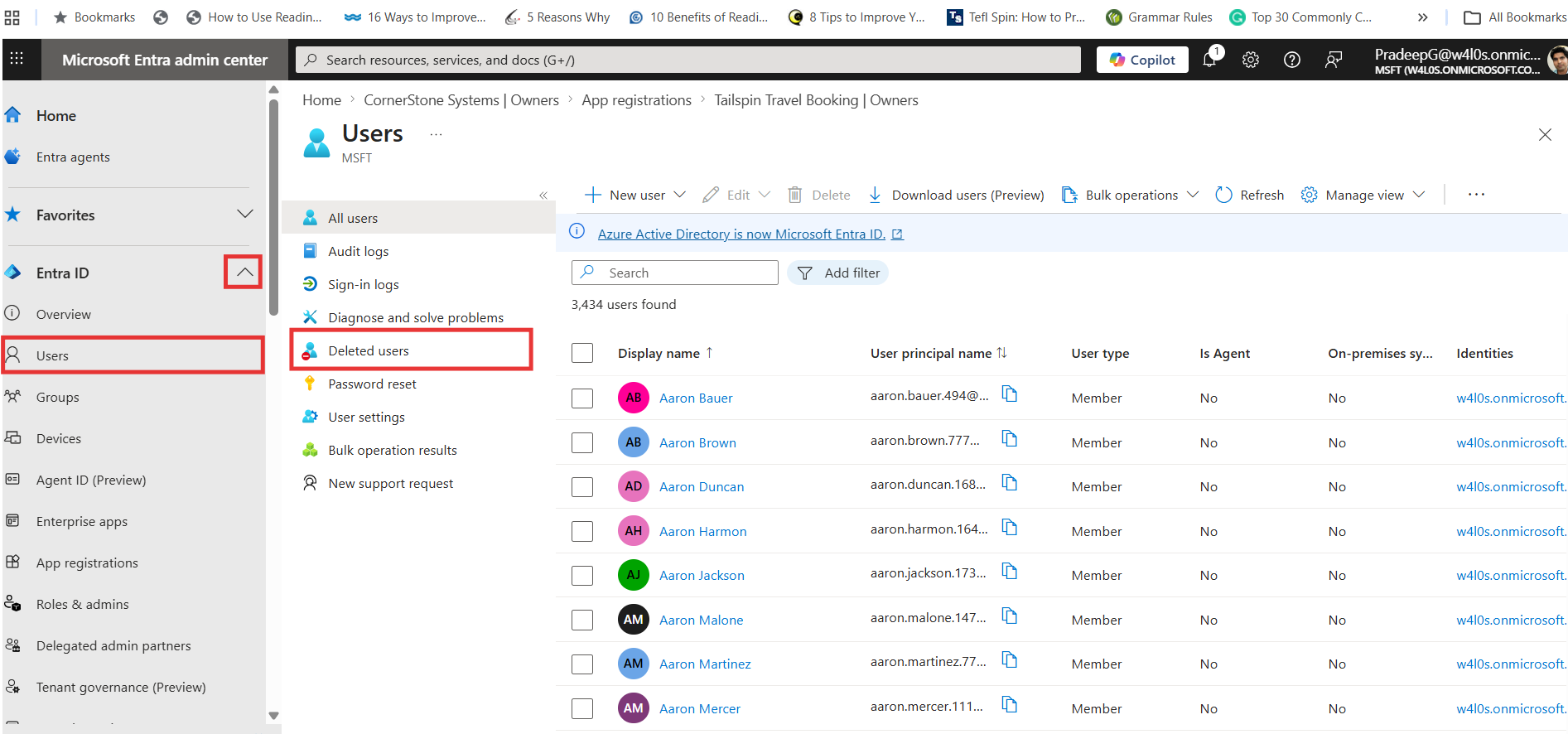
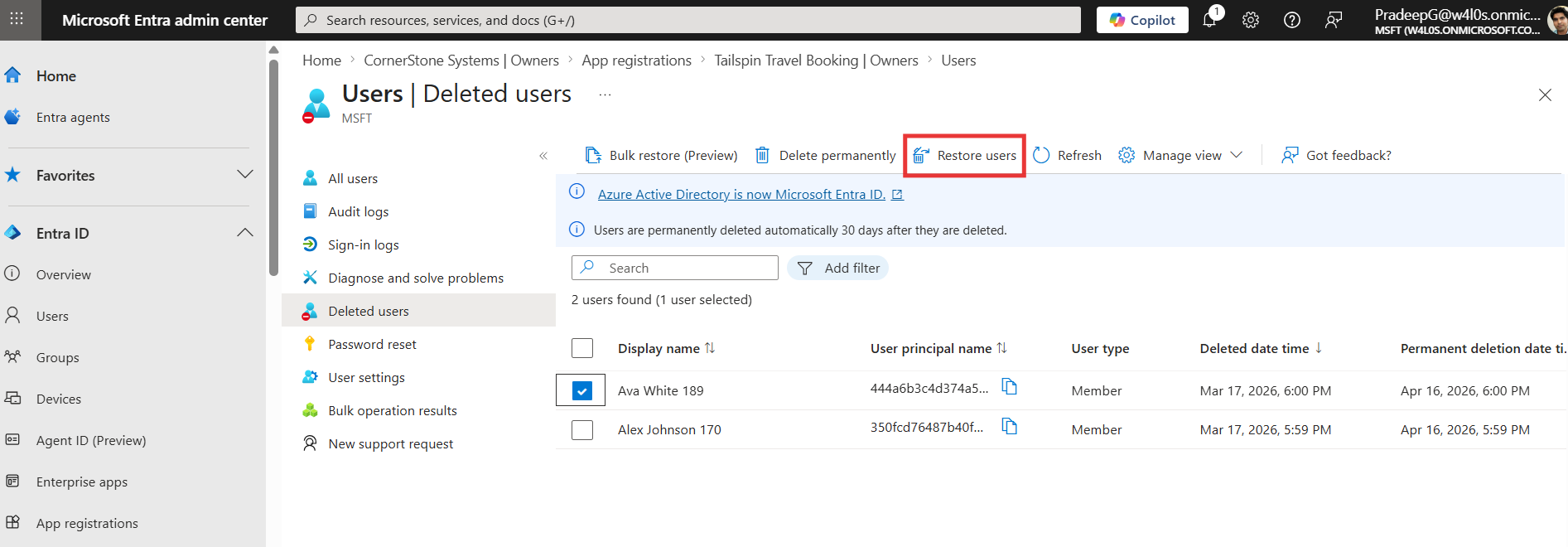
The user account will be restored to the active users list.
Restore User Using Microsoft Graph PowerShell
Administrators can restore users using Graph PowerShell.
Example
Restore-MgDirectoryDeletedItem -DirectoryObjectId "<UserObjectId>" This command restores a soft-deleted user back to the active directory.
Key Parameter Explained
| Parameter | Description |
|---|---|
| DirectoryObjectId | Object ID of the deleted user |
Important Notes About User Restoration
- Users can only be restored within 30 days of deletion
- After 30 days, the user is permanently deleted (hard delete)
- The restored user may need:
- License reassignment
- Password reset
- Verification of group memberships
Common Use Cases
Administrators restore users when:
- A user was deleted accidentally
- An employee rejoins the organization
- Temporary account removal needs to be reversed
- Data recovery is required
Best Practices
- Restore users as soon as possible within the 30-day window
- Verify access after restoration
- Reset password after restoring the account
- Reassign licenses if needed
Conclusion
Restoring users in Microsoft Entra ID allows administrators to recover deleted accounts quickly and efficiently.
By using the Entra Admin Center for quick recovery or Graph PowerShell for automation, administrators can ensure minimal disruption when user accounts are accidentally removed.
Did You Know? Managing Microsoft 365 applications is even easier with automation. Try our Graph PowerShell scripts to automate tasks like generating reports, cleaning up inactive Teams, or assigning licenses efficiently.
Ready to get the most out of Microsoft 365 tools? Explore our free Microsoft 365 administration tools to simplify your administrative tasks and boost productivity.