Microsoft 365 Free Reporting Tool — Team Owners Report
In Microsoft Teams governance, one role matters more than any other — the Team Owner. Owners control membership, settings, and the lifecycle of each Team. Without clear visibility into who owns what, accountability quickly becomes unclear.
Unfortunately, identifying Team Owners across your tenant is not as simple as it should be.
The Microsoft Team Owners Report, available in the M365 Free Reporting Tool, gives administrators instant visibility into Team ownership — without manual digging or PowerShell scripting.
Who Are Microsoft Team Owners?
Microsoft Team Owners are users assigned administrative control over a Team.
Team Owners can:
- Add or remove members
- Promote or demote other owners
- Modify Team settings
- Archive or delete the Team
Each Team should ideally have at least two owners to prevent orphaned Teams and governance gaps. Monitoring Team ownership is therefore critical.
How to Generate Microsoft Team Owners Report?
Let’s look at the available options and their limitations.
- Using Microsoft 365 Admin Center
The Microsoft 365 Admin Center does not provide a consolidated Team Owners report. - Owners must be checked Team by Team
- No exclusive listing of Team Owners
- No centralized export view
- Using Microsoft Teams Admin Center
The Microsoft Teams Admin Center allows you to view Team membership, including owners. - Owners must be reviewed manually for each Team
- No consolidated Owners-only report
- No easy export option
- Time-consuming in environments with hundreds of Teams
- Using Graph PowerShell
Graph PowerShell allows admins to programmatically retrieve Team Owners across the tenant. - Fetches all Teams-enabled groups
- Retrieves the owners for each Team
- Creates a structured report
- Exports results to CSV
- Requires Graph and PowerShell expertise
- Multiple API calls per Team
- Manual CSV formatting and maintenance
- Not ideal for quick governance checks
- Using M365Corner Microsoft 365 Free Reporting Tool
With the M365Corner Microsoft 365 Free Reporting Tool, generating an exclusive Microsoft Team Owners Report is effortless. - No scripts required
- Consolidated listing of all Team Owners
- Clear mapping of Team → Owners
- One-click CSV export
- Report Shareable Via Mail
❌ Limitations
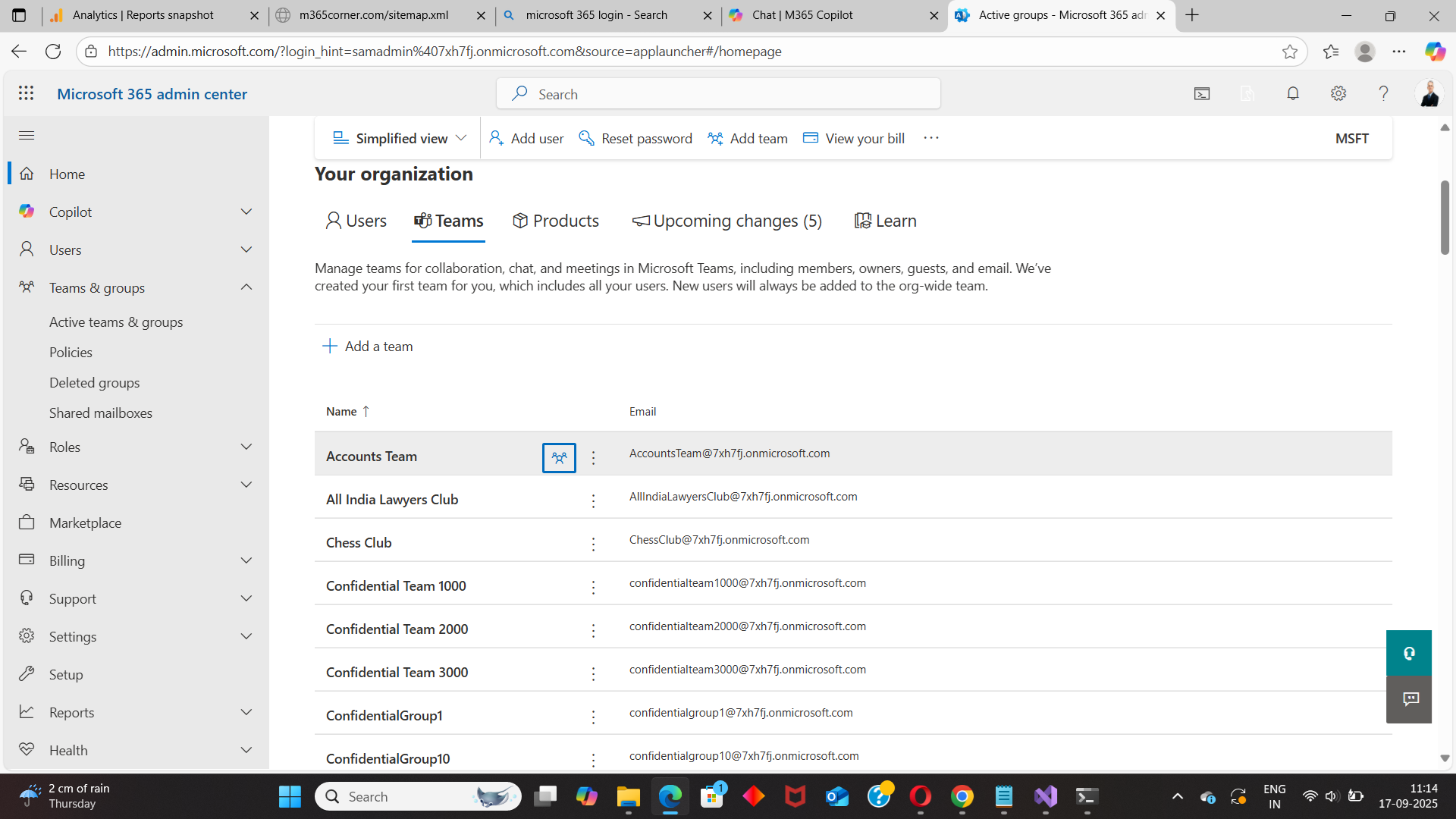
This approach becomes impractical in large tenants.
❌ Limitations
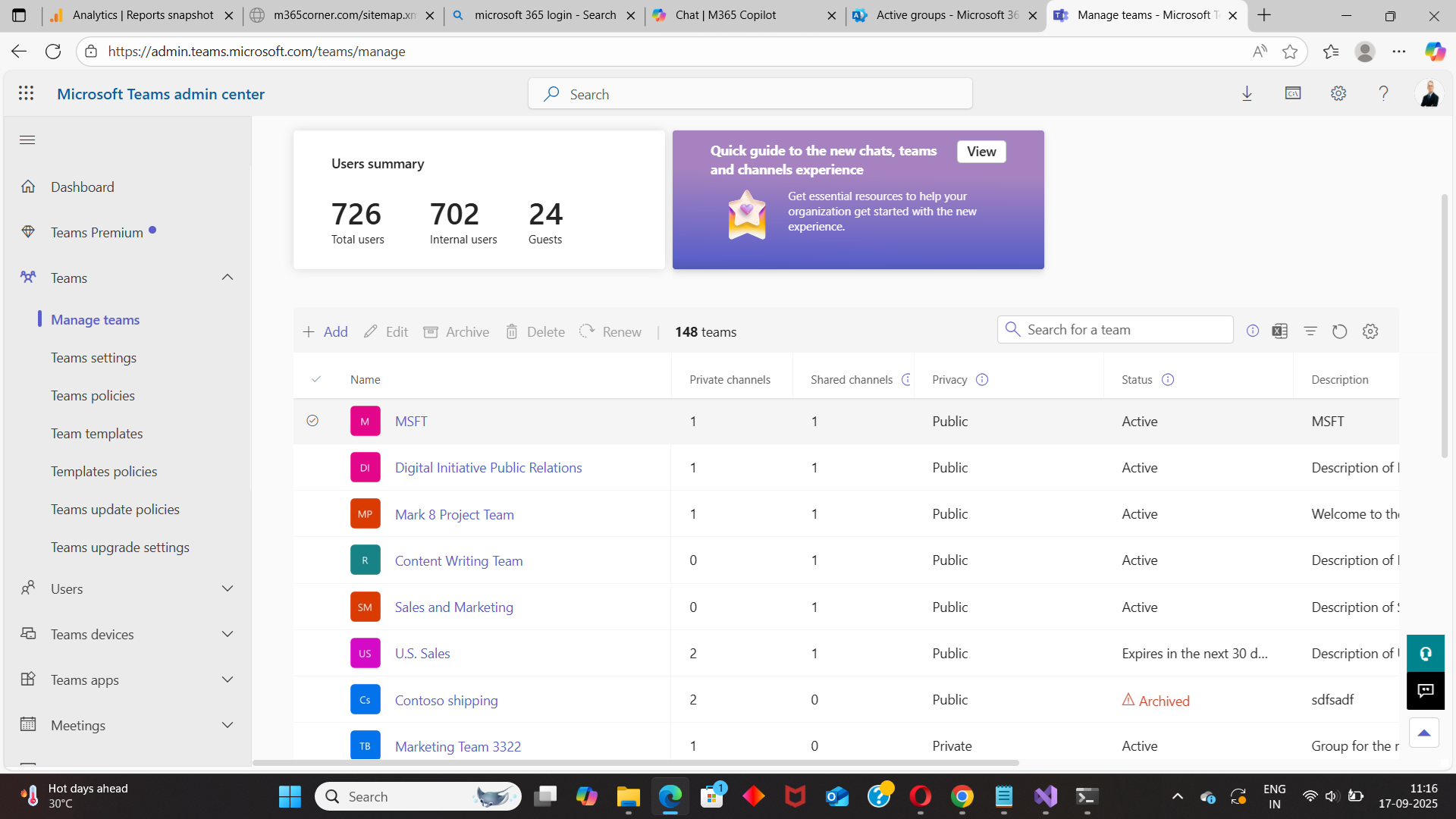
Again, this requires manual digging into every Team.
Sample Graph PowerShell Script
# Connect to Microsoft Graph
Connect-MgGraph -Scopes "Group.Read.All", "User.Read.All"

# Get all Teams-enabled groups
$teams = Get-MgGroup -All -Filter "resourceProvisioningOptions/Any(x:x eq 'Team')" `
-Property Id, DisplayName

$report = foreach ($team in $teams) {
    $owners = Get-MgGroupOwner -GroupId $team.Id -All
    foreach ($owner in $owners) {
        [PSCustomObject]@{
            TeamName  = $team.DisplayName
            OwnerName = $owner.DisplayName
            OwnerUPN  = $owner.UserPrincipalName
        }
    }
}

$report | Export-Csv "C:\TeamsOwnersReport.csv" -NoTypeInformation
What this script does
Downsides of PowerShell
While powerful, this method isn’t admin-friendly for everyday visibility.
👉 You can generate the Microsoft Team Owners Report at the click of a button.
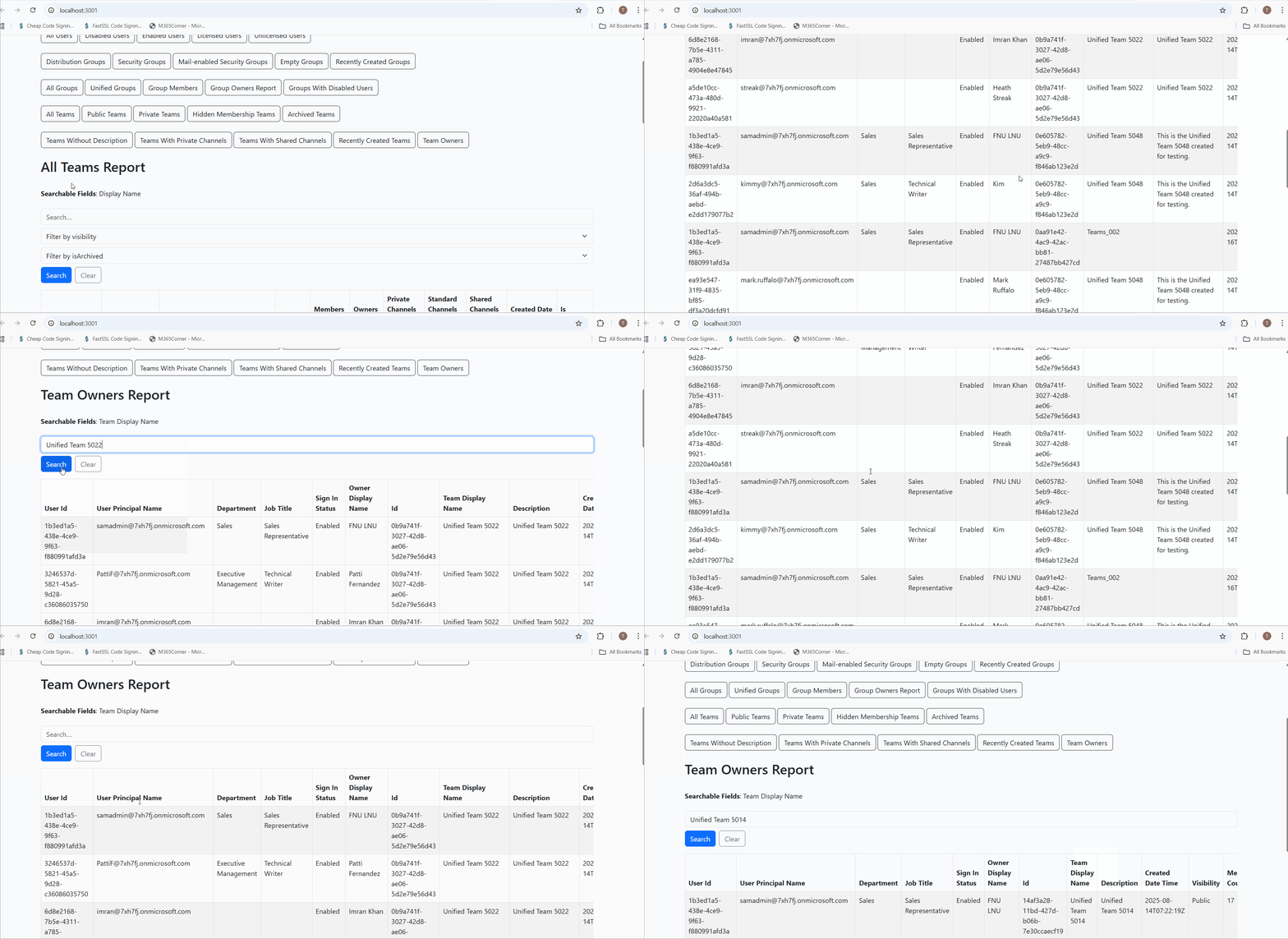
Why this helps admins
This dramatically quickens reporting, giving administrators immediate clarity into Team ownership and helping prevent orphaned or mismanaged Teams.
Explore Team Owners Report
- 🔗 Learn More About Microsoft Team Owners Report
- 🔗 Explore All Reports in the M365 Free Reporting Tool
- 🔗 Download the Community Edition
https://m365corner.com/m365-free-tools/microsoft-teams-owners-report.html Understand what the report includes and how it supports Teams governance.
https://m365corner.com/m365-free-tools/m365corner-reporting-tool.html
Discover all reports available in the M365 Free Reporting Tool.
https://github.com/m365corner/m365corner-reporting-tool-community-edition.git
Start using the M365 Free Reporting Tool Community Edition today.
The M365 Free Reporting Tool removes manual effort from Team ownership tracking and replaces it with clear, centralized visibility—without Admin Center limitations or PowerShell overhead.
Did You Know? Managing Microsoft 365 applications is even easier with automation. Try our Graph PowerShell scripts to automate tasks like generating reports, cleaning up inactive Teams, or assigning licenses efficiently.
Ready to get the most out of Microsoft 365 tools? Explore our free Microsoft 365 administration tools to simplify your administrative tasks and boost productivity.