Microsoft 365 Free Reporting Tool – Recently Created Teams Report
Microsoft Teams environments evolve rapidly. New Teams are created daily — for projects, departments, events, and collaboration initiatives. But as Teams creation increases, one important governance question emerges: Which Teams were created recently?
Tracking newly created Teams is critical for governance, naming compliance, and security oversight. Unfortunately, native admin tools don’t make this easy.
The Recently Created Teams Report, available in the M365 Free Reporting Tool, gives administrators instant visibility into newly created Teams — without manual digging or PowerShell scripting.
What Are Recently Created Microsoft Teams?
Recently Created Microsoft Teams are Teams that were provisioned within a defined timeframe — such as:
- Last 7 days
- Last 30 days
- A specific date range
Monitoring new Teams helps admins:
- Track growth trends
- Review naming standards compliance
- Validate ownership assignment
- Prevent collaboration sprawl
In growing tenants, this visibility is essential.
How to Generate Recently Created Microsoft Teams Report?
Let’s look at the available approaches and their limitations.
- Using Microsoft 365 Admin Center
- No filter for creation date
- No reporting for new Teams
- No consolidated view of recently created Teams
- Using Microsoft Teams Admin Center
- No way to filter Teams by creation date
- Teams are listed in bulk without timeline-based sorting
- Manual inspection required
- Using Graph PowerShell
- Retrieves Teams-enabled groups
- Applies a createdDateTime filter
- Formats and exports the results
- Requires Graph and PowerShell expertise
- Date filtering logic must be carefully handled
- Script maintenance required
- Manual CSV export and formatting
- Using M365Corner Microsoft 365 Free Reporting Tool
- No scripts required
- Instant visibility into newly created Teams
- Clear creation timeline
- One-click CSV export
- Report Shareable via Mail
The Microsoft 365 Admin Center does not provide a way to track newly created Teams.
❌ Limitations
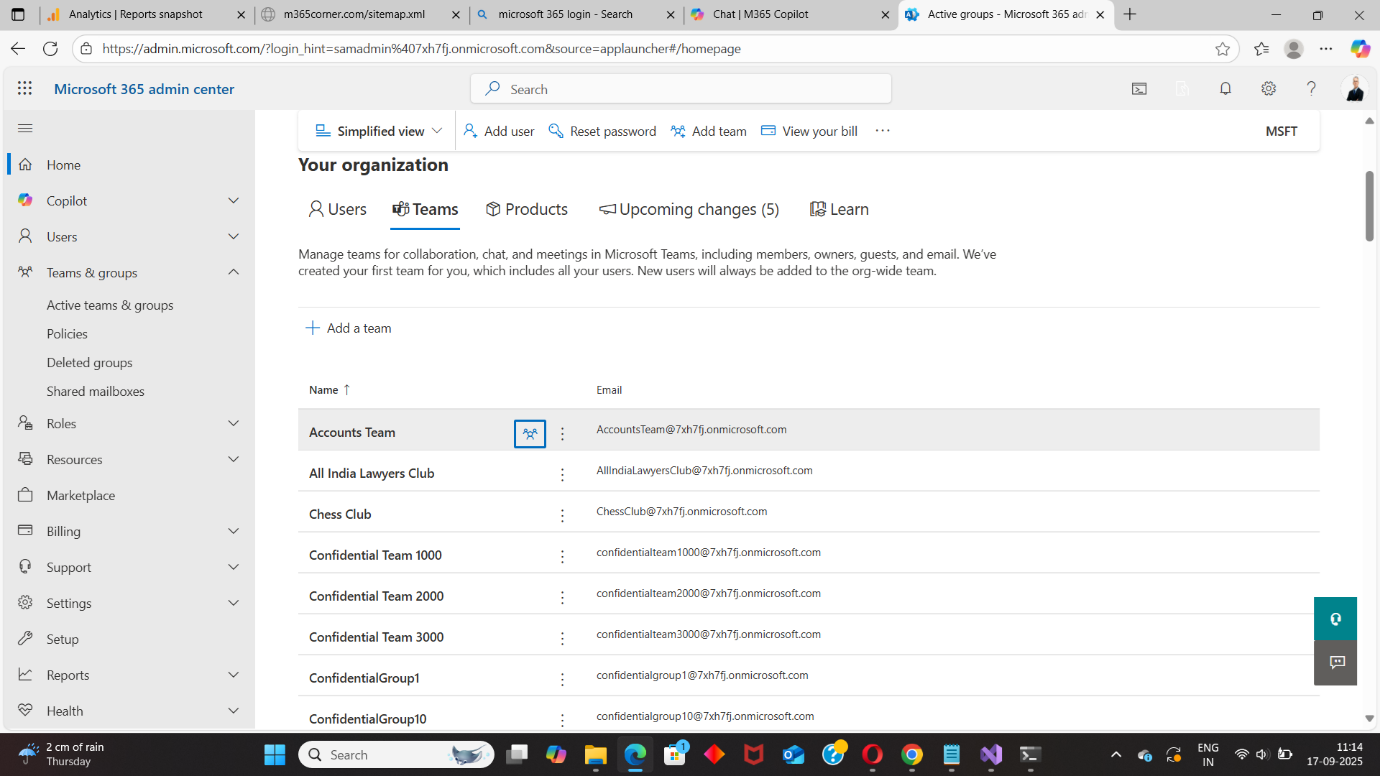
This makes it unsuitable for governance tracking.
The Microsoft Teams Admin Center provides visibility into Teams — but not filtering by creation date.
❌ Limitations
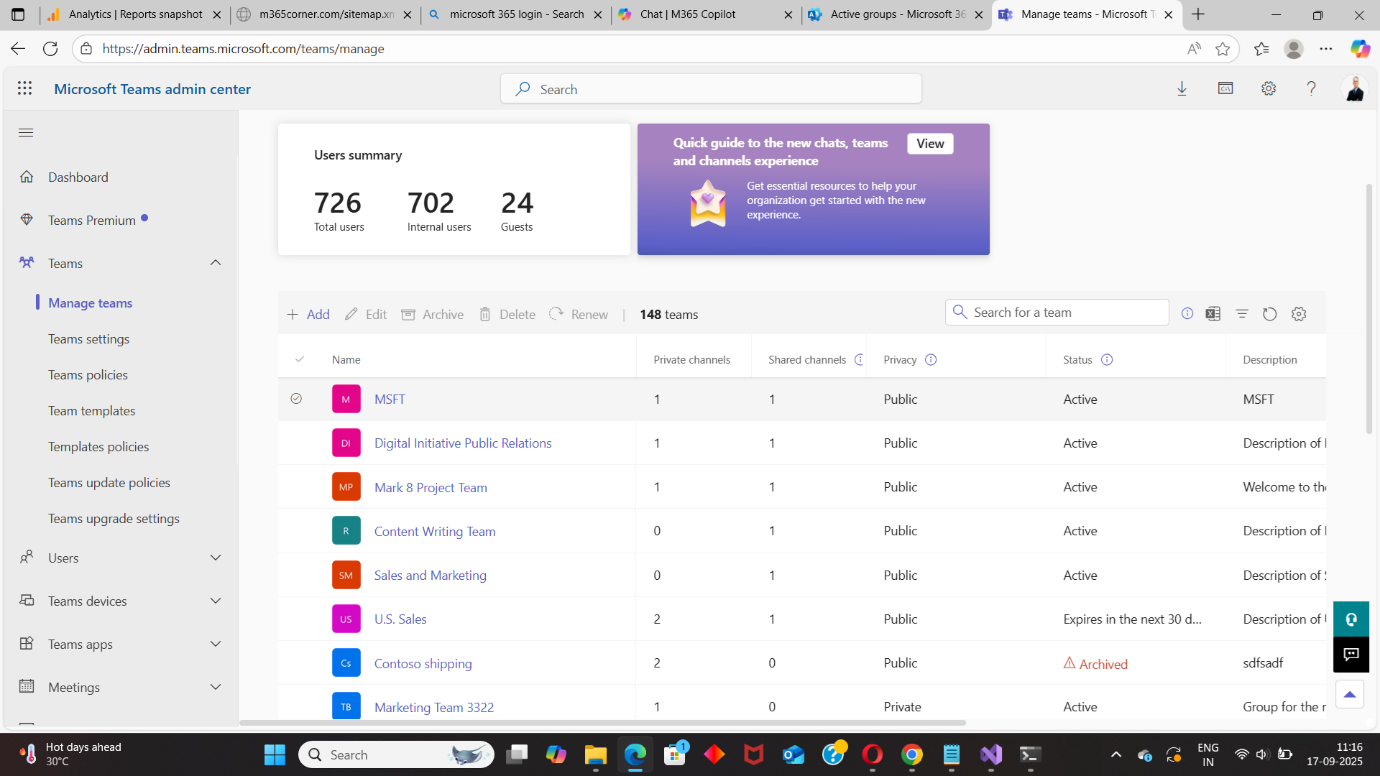
In tenants with hundreds of Teams, this becomes impractical.
Graph PowerShell allows admins to fetch recently created Teams by filtering based on creation date.
📘 Reference Script:
https://m365corner.com/m365-powershell/email-recently-created-teams-graph-powershell.html
This approach typically:
⚠️ Downsides of PowerShell
While powerful, this method is not ideal for quick, repeatable reporting.
With the M365Corner Microsoft 365 Free Reporting Tool, generating the Recently Created Microsoft Teams Report is effortless.
👉 You can generate the Recently Created Microsoft Teams Report at the click of a button.
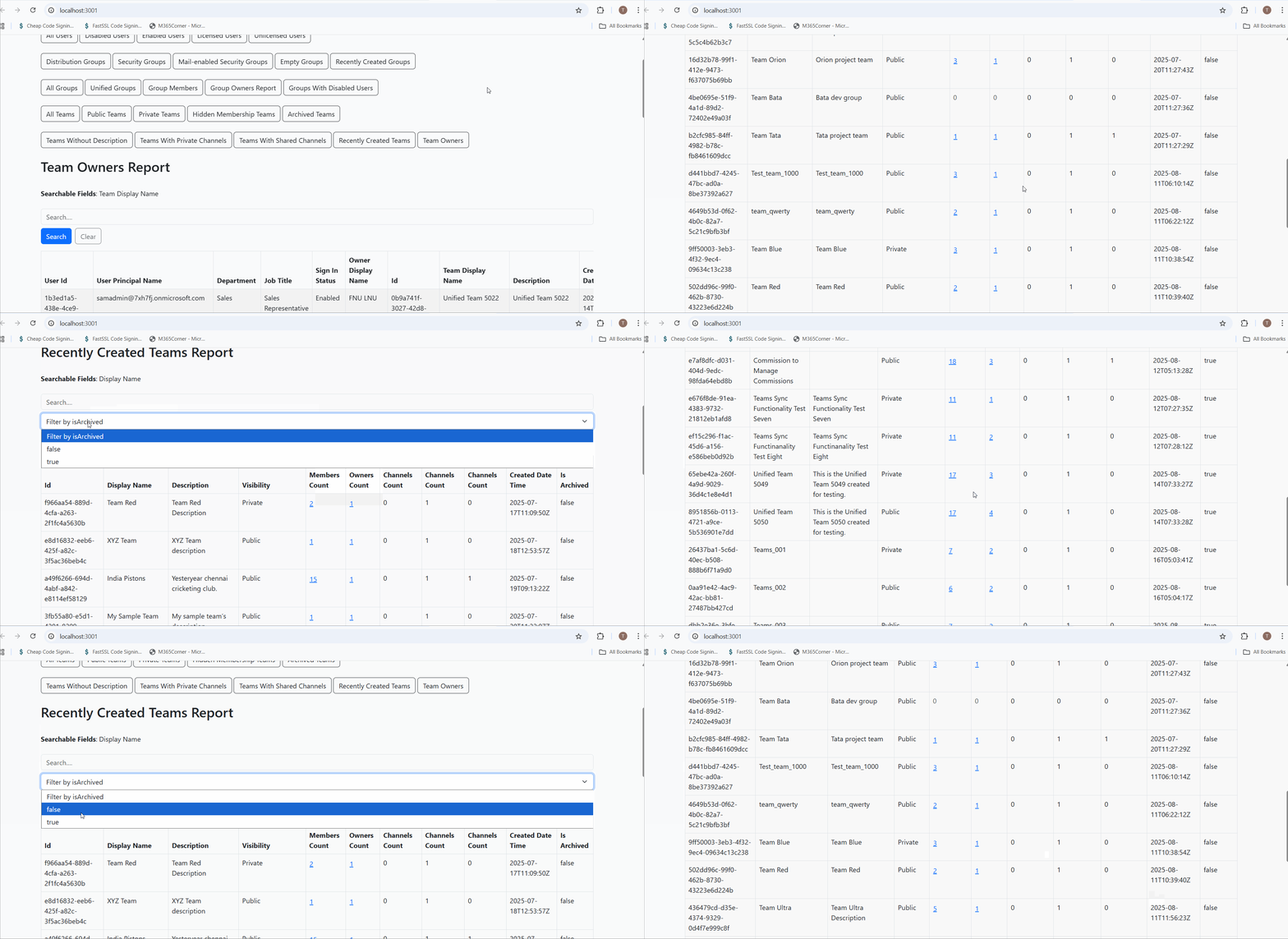
Why this helps admins
This dramatically quickens reporting, giving administrators immediate clarity into new Team creation activity and helping them enforce governance proactively.
Explore Recently Created Teams Report
- 🔗 Learn More About Recently Created Microsoft Teams Report
- 🔗 Explore All Reports in the M365 Free Reporting Tool
- 🔗 Download the Community Edition
https://m365corner.com/m365-free-tools/recently-created-microsoft-teams-report.html
Understand what the report includes and how it supports Teams governance.
https://m365corner.com/m365-free-tools/m365corner-reporting-tool.html
Discover all reports available in the M365 Free Reporting Tool.
https://github.com/m365corner/m365corner-reporting-tool-community-edition.git
Start using the M365 Free Reporting Tool Community Edition today.
The M365 Free Reporting Tool replaces manual checks and complex scripting with clear, actionable visibility into newly created Microsoft Teams — helping administrators stay ahead of collaboration sprawl.
Did You Know? Managing Microsoft 365 applications is even easier with automation. Try our Graph PowerShell scripts to automate tasks like generating reports, cleaning up inactive Teams, or assigning licenses efficiently.
Ready to get the most out of Microsoft 365 tools? Explore our free Microsoft 365 administration tools to simplify your administrative tasks and boost productivity.