Microsoft 365 Free Reporting Tool — Microsoft Groups Report
Microsoft 365 Groups are at the heart of collaboration across Microsoft 365. They power shared mailboxes, SharePoint sites, Planner plans, and—when enabled—Microsoft Teams.
But one challenge consistently frustrates administrators: How do you get a clean, exclusive list of Microsoft 365 Groups that are not Teams-enabled?
The Microsoft Groups Report, available in the M365 Free Reporting Tool, solves this exact problem by giving admins a clear, focused view of exclusive Microsoft 365 Groups—without manual digging or scripting.
What Are Microsoft 365 Groups?
Microsoft 365 Groups (also known as Unified Groups) are identity objects that provide shared access to:
- Outlook group mailbox and calendar
- SharePoint team site
- Planner plan
- Power BI workspace (optional)
They are widely used for collaboration and access control across Microsoft 365 workloads.
How Do Microsoft 365 Groups Differ from Microsoft Teams–Enabled Groups?
While all Teams-enabled groups are Microsoft 365 Groups, not all Microsoft 365 Groups are Teams-enabled.
Key differences:
- Microsoft 365 Groups (exclusive)
- Back Outlook, SharePoint, Planner, etc.
- Do not have Microsoft Teams attached
- Teams-enabled Groups
- Are Microsoft 365 Groups with Teams provisioning
- Include chat, channels, meetings, and collaboration features
From a governance perspective, admins often need to separately track non-Teams Microsoft 365 Groups, especially for cleanup, audits, or lifecycle management.
How to Generate Exclusive Microsoft 365 Groups Report?
Let’s look at the available options—and why they fall short.
- Using Microsoft 365 Admin Center
The Microsoft 365 Admin Center provides a general view of groups, but with significant limitations. - No exclusive listing of Microsoft 365 Groups that are not Teams-enabled
- Limited information for Distribution and Security groups
- Identifying owners or members requires opening each group individually
- No consolidated reporting view
- Using Microsoft Entra ID Admin Center
- No exclusive filter for non-Teams Microsoft 365 Groups
- Owners and members must be reviewed group by group
- Not optimized for reporting or exports
- Using Graph PowerShell
- Requires Graph and PowerShell expertise
- Script maintenance and reuse required
- Manual formatting and CSV export needed
- Not ideal for quick or recurring reporting
- Using M365Corner Free Reporting Tool
- No scripts required
- Clear separation of Microsoft 365 Groups vs Teams-enabled groups
- Instant visibility into group names and group members/owners
- One-click CSV export
- Shareable Report via Mail
❌ Limitations
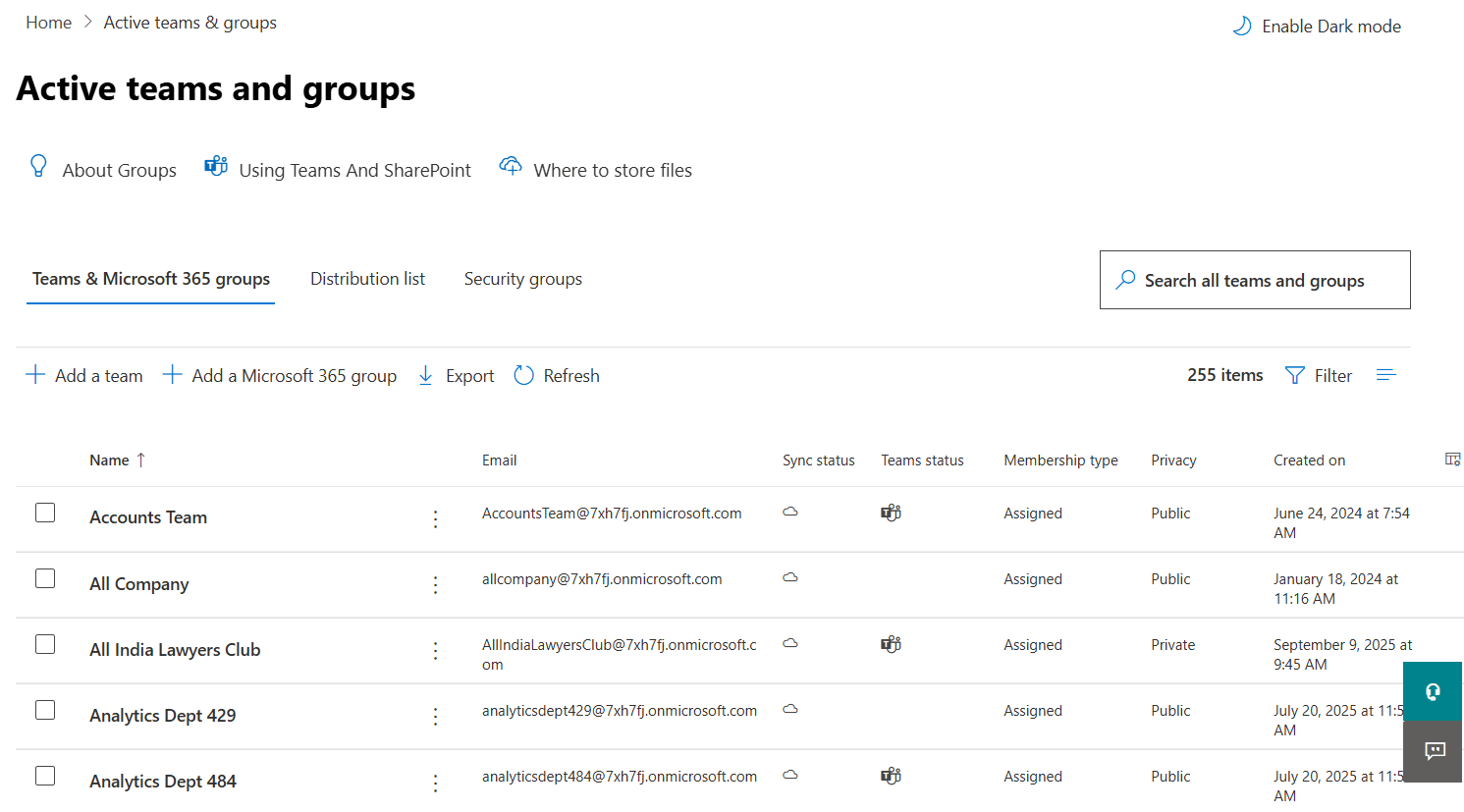
This makes it impractical for governance-focused reporting.
The Entra ID Admin Center shows group objects and properties, but it also falls short.
❌ Limitations
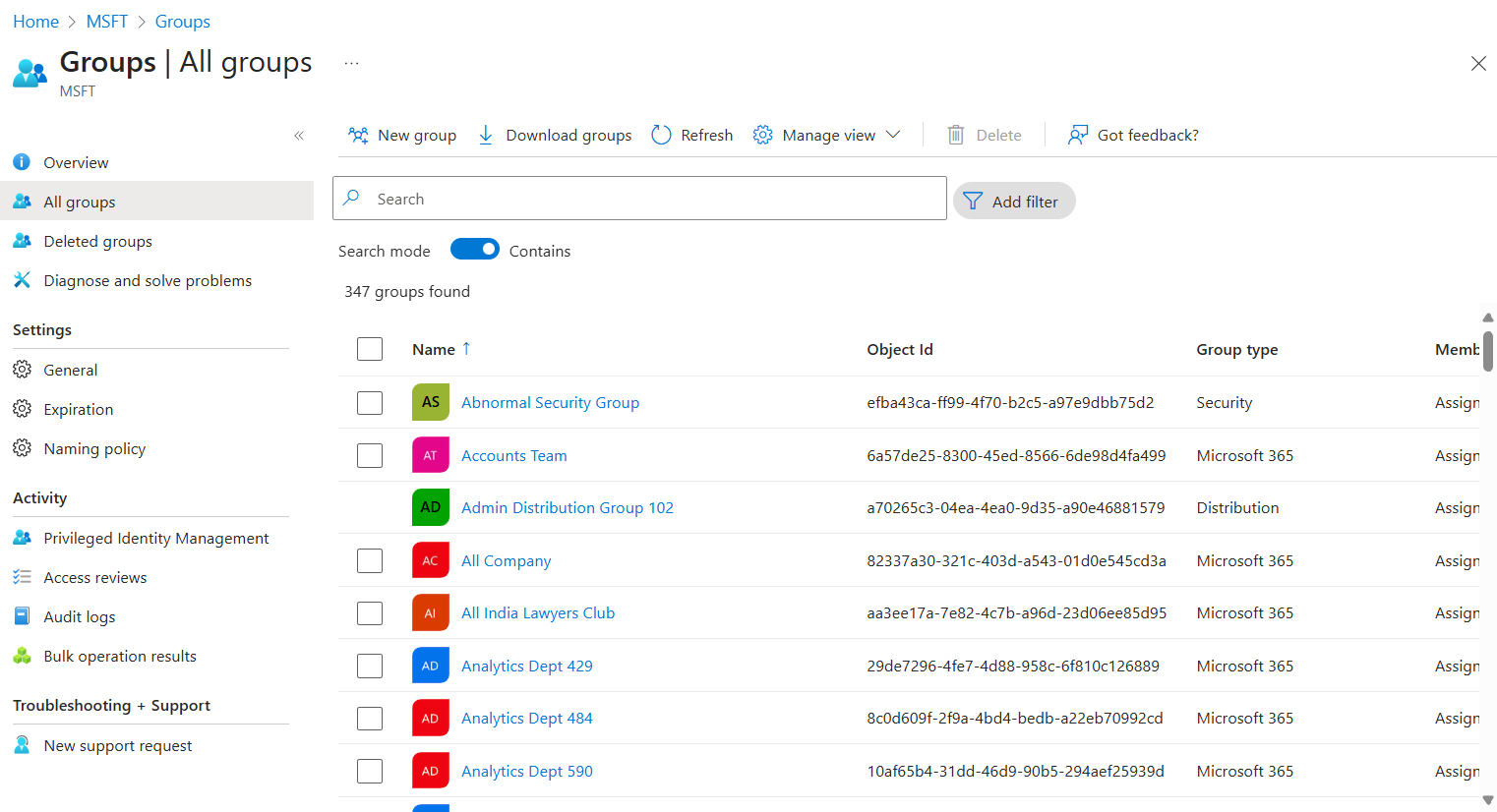
For tenants with many groups, this approach does not scale.
Graph PowerShell allows admins to programmatically identify Microsoft 365 Groups that are not Teams-enabled.
Sample Graph PowerShell Script
# Get all Microsoft 365 Groups
$Groups = Get-MgGroup -All `
    -Filter "groupTypes/any(c:c eq 'Unified')" `
    -Property Id,DisplayName,ResourceProvisioningOptions

# Filter out Teams-enabled groups
$NonTeamsGroups = $Groups | Where-Object {
    $_.ResourceProvisioningOptions -notcontains "Team"
}

# Output result
$NonTeamsGroups | Select-Object DisplayName, Id
⚠️ Downsides of PowerShell
This is where a GUI-based solution becomes the clear winner.
With the M365Corner Microsoft 365 Free Reporting Tool, generating an exclusive Microsoft 365 Groups Report is effortless.
👉 You can generate the exclusive Microsoft 365 Groups Report at the click of a button.
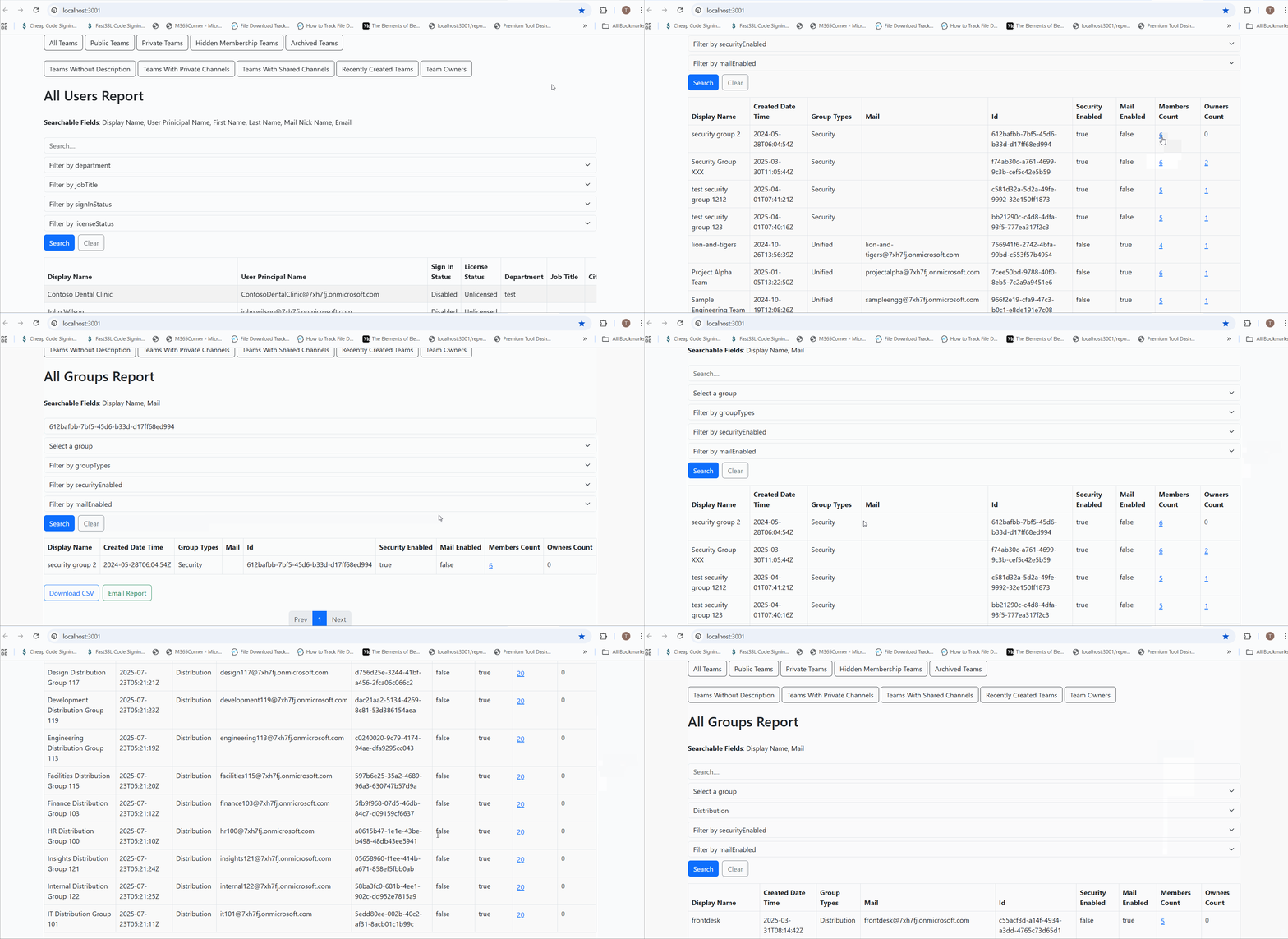
Why this helps admins
This significantly quickens reporting, giving admins immediate clarity and helping them manage group sprawl with confidence.
Explore Microsoft Groups Report
- 🔗 Learn More About Microsoft 365 Groups Report
- 🔗 Explore All Reports in the M365 Free Reporting Tool
- 🔗 Download the Community Edition
https://m365corner.com//m365-free-tools/all-microsoft-365-groups-report.html
Understand what the report includes and how it helps manage Microsoft 365 Groups effectively.
https://m365corner.com/m365-free-tools/m365corner-reporting-tool.html
Discover all reports available in the M365 Free Reporting Tool.
https://github.com/m365corner/m365corner-reporting-tool-community-edition.git
Start using the M365 Free Reporting Tool Community Edition today.
Did You Know? Managing Microsoft 365 applications is even easier with automation. Try our Graph PowerShell scripts to automate tasks like generating reports, cleaning up inactive Teams, or assigning licenses efficiently.
Ready to get the most out of Microsoft 365 tools? Explore our free Microsoft 365 administration tools to simplify your administrative tasks and boost productivity.