Microsoft 365 Free Reporting Tool — Group Members Report
Microsoft 365 groups sit at the center of collaboration, access control, and communication. But as the number of groups grows, one question becomes increasingly difficult to answer: Who is a member of what — and which groups does a user belong to?
The Microsoft 365 Group Members Report, available in the M365Corner M365 Free Reporting Tool (also known as the Microsoft 365 free community dashboard or Free M365 Community Dashboard), solves this problem by giving admins bi-directional visibility into group memberships — without scripts or manual checks.
What Are Microsoft 365 Groups?
Microsoft 365 groups are identity objects that provide access to shared resources such as:
- Outlook mailboxes
- SharePoint sites
- Planner plans
- Microsoft Teams (when Teams-enabled)
They are widely used for collaboration, access management, and service integration across Microsoft 365.
Who Are Microsoft 365 Group Members?
Microsoft 365 group members are users assigned to a group who inherit access to its associated resources.
Group members can include:
- Employees
- Service accounts
- External users (guests)
Membership directly determines who can access what, making visibility into group members critical for security and governance.
Why Generate Microsoft 365 Group Members Report?
A Group Members Report helps administrators answer key operational and security questions:
- ✔ Who has access to a specific group’s resources?
Quickly see all users assigned to a group. - ✔ Which groups is a specific user part of?
Understand a user’s access footprint across the tenant. - ✔ Improve governance and audits
Auditors often require proof of access mappings. - ✔ Reduce security risks
Identify unnecessary or outdated memberships. - Maps groups → members
- Maps users → groups
The M365Corner report is bi-directional, meaning it:
Important note:
This report fetches exclusive Microsoft 365 groups only, not groups backed by Microsoft Teams, keeping the data focused and governance-friendly.
How to Generate Microsoft 365 Group Members Report?
Admins typically rely on one of the following methods.
- Using Microsoft 365 Admin Center
- You must open each group individually
- Navigate to the Members tab
- Review assigned users manually
- No centralized view
- No bulk visibility
- No user-to-groups mapping
- Not scalable for large tenants
- Using Microsoft Entra ID Admin Center
- Search for a group
- Open it individually
- Check the Members section
- Repeat for every group
- Manual and repetitive
- No consolidated reporting
- No bi-directional visibility
- Not optimized for audits
- Using Graph PowerShell
- Fetch members of a group:
https://m365corner.com/m365-powershell/email-microsoft-365-group-members-graph-powershell.html - Fetch groups a user is a member of:
https://m365corner.com/m365-powershell/fetch-and-mail-user-group-memberships-with-graph-powershell.html - Requires scripting expertise
- Separate scripts needed for each direction
- Manual CSV export and formatting
- Time-consuming for repeated reporting
- Using M365Corner Microsoft 365 Free Reporting Tool (Recommended)
- No scripts required
- Clear group-to-user and user-to-group mapping
- One-click CSV export
- Shareable Report via mail
In the Microsoft 365 Admin Center:
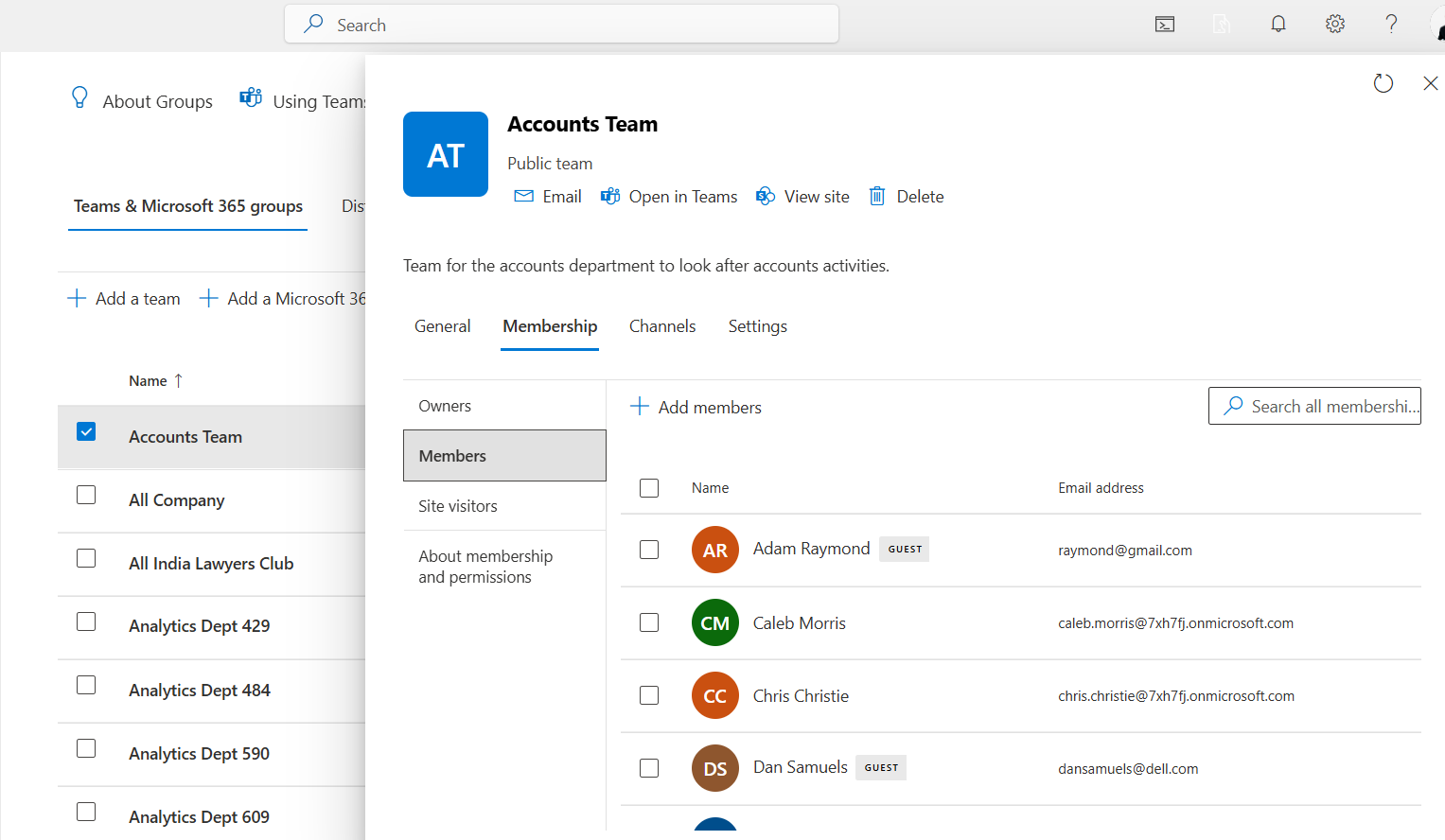
Limitations
The Entra ID Admin Center offers similar limitations.
Admins must:
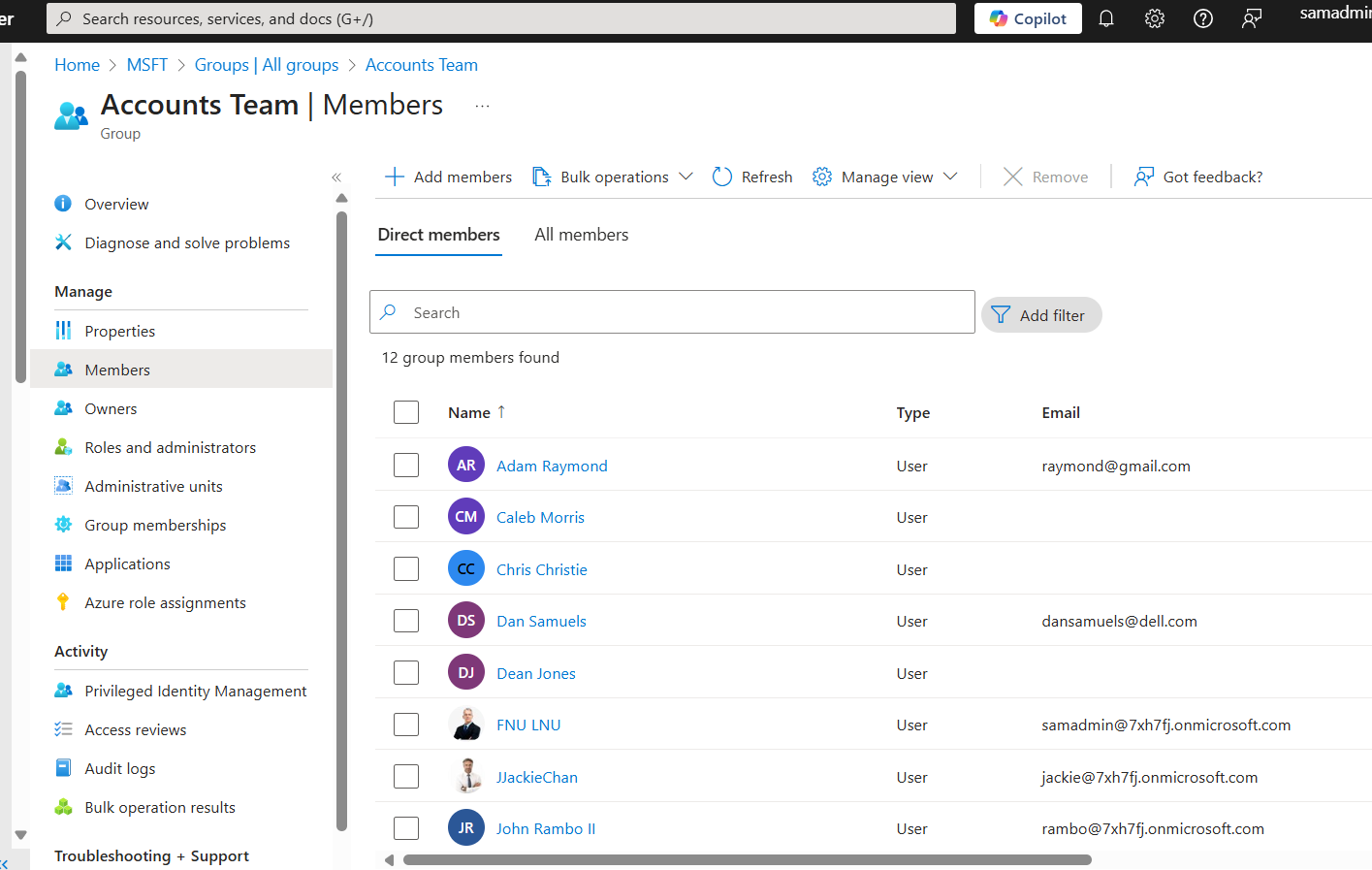
Limitations
Graph PowerShell allows you to fetch group membership data programmatically — but it requires scripting knowledge and multiple queries.
Sample Graph PowerShell Script
# Connect to Microsoft Graph
Connect-MgGraph -Scopes "Group.Read.All", "User.Read.All", "Mail.Send"

# Define the group and admin
$groupId = "7ac400b1-72fe-47a4-b437-57671ca08f86"  # Replace with your group's ID
$adminEmail = "samadmin@7xh7fj.onmicrosoft.com"  # Replace with the admin's email

# Get group details
$group = Get-MgGroup -GroupId $groupId
$groupName = $group.DisplayName

# Get group members
$members = Get-MgGroupMember -GroupId $groupId -All
Related PowerShell Articles:
Downsides of PowerShell
This is where the Free M365 Community Dashboard offers a major advantage.
With the M365Corner Microsoft 365 Free Reporting Tool, generating the Microsoft 365 Group Members Report is effortless.
👉 You can generate the Group Members Report at the click of a button.
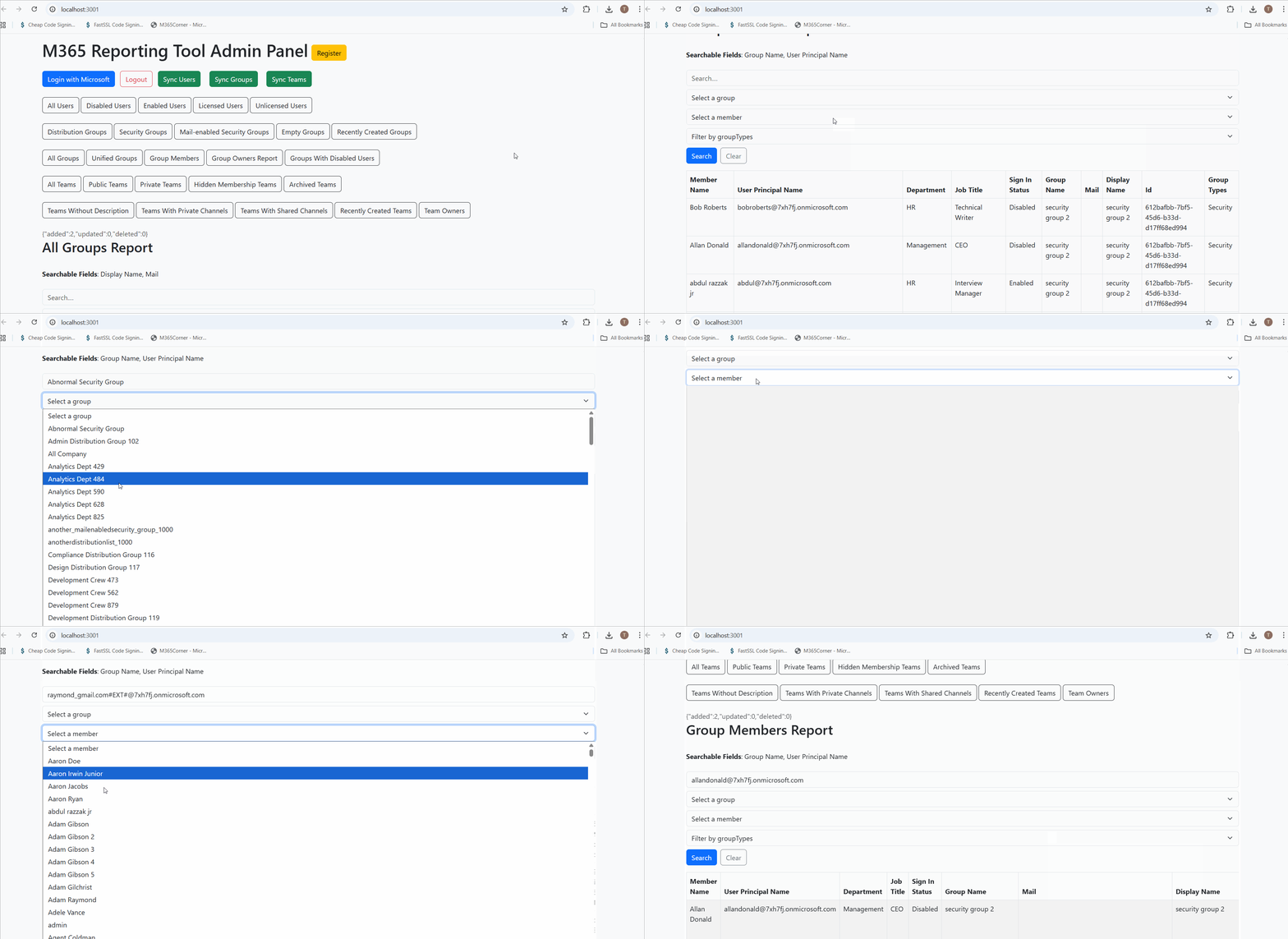
Why this helps admins
This significantly quickens reporting and gives admins instant clarity into access relationships across Microsoft 365.
Explore Group Members Report
- Learn More About Group Members Report
- Explore All Reports in the M365 Free Reporting Tool
- Download the Community Editionon
https://m365corner.com/m365-free-tools/microsoft-365-group-members-report.html
See what the report includes and how it simplifies access visibility.
https://m365corner.com/m365-free-tools/m365corner-reporting-tool.html
Discover all reports available in the Microsoft 365 free community dashboard.
https://github.com/m365corner/m365corner-reporting-tool-community-edition.git
Start using the Free M365 Community Dashboard today.
The M365 Free Reporting Tool removes guesswork from group membership reporting and gives Microsoft 365 admins the clarity they need — faster, simpler, and without PowerShell complexity.
Did You Know? Managing Microsoft 365 applications is even easier with automation. Try our Graph PowerShell scripts to automate tasks like generating reports, cleaning up inactive Teams, or assigning licenses efficiently.
Ready to get the most out of Microsoft 365 tools? Explore our free Microsoft 365 administration tools to simplify your administrative tasks and boost productivity.