The Challenge with Native Global Admin Visibility
Microsoft provides ways to view Global Administrators through the Entra Admin Center.
However, in practice, admins often face a few challenges:
- Navigating to the Entra Admin Roles section isn’t always intuitive
- Microsoft 365 Admin Center does not clearly surface groups assigned with Global Admin role
- Visibility into role assignments can require multiple steps
- Sharing the report requires downloading it first
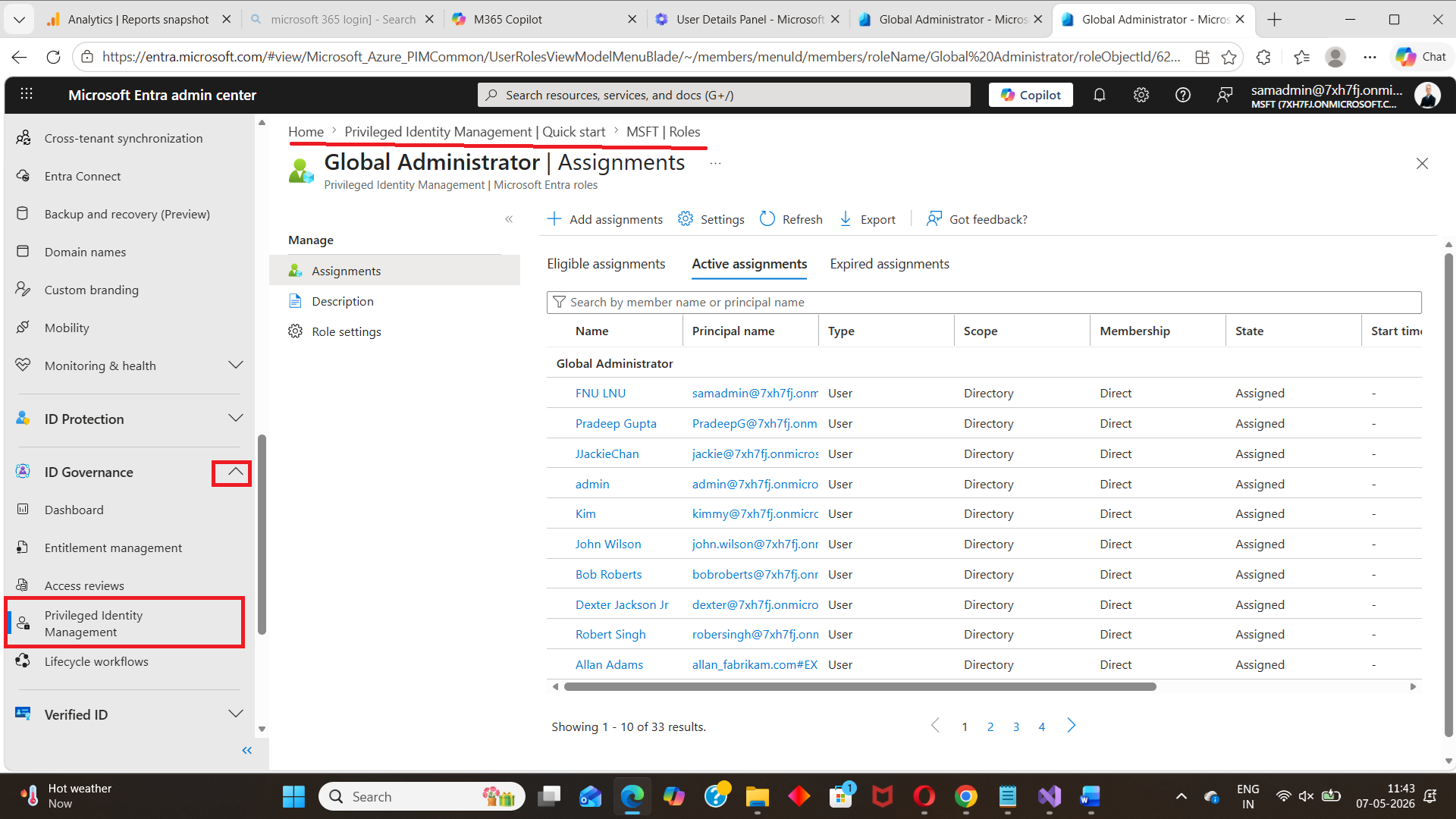 👉 For security-sensitive roles like Global Administrator, this process can quickly become inefficient.
A Simpler Approach Is Coming Soon
To simplify this process, we’ve been working on the M365Corner Free Reporting Tool — a free Microsoft 365 reporting tool designed to provide quick, structured visibility into critical tenant data.
One of the upcoming reports focuses specifically on: 👉 Global Administrator visibility and governance
How This Will Work (Preview)
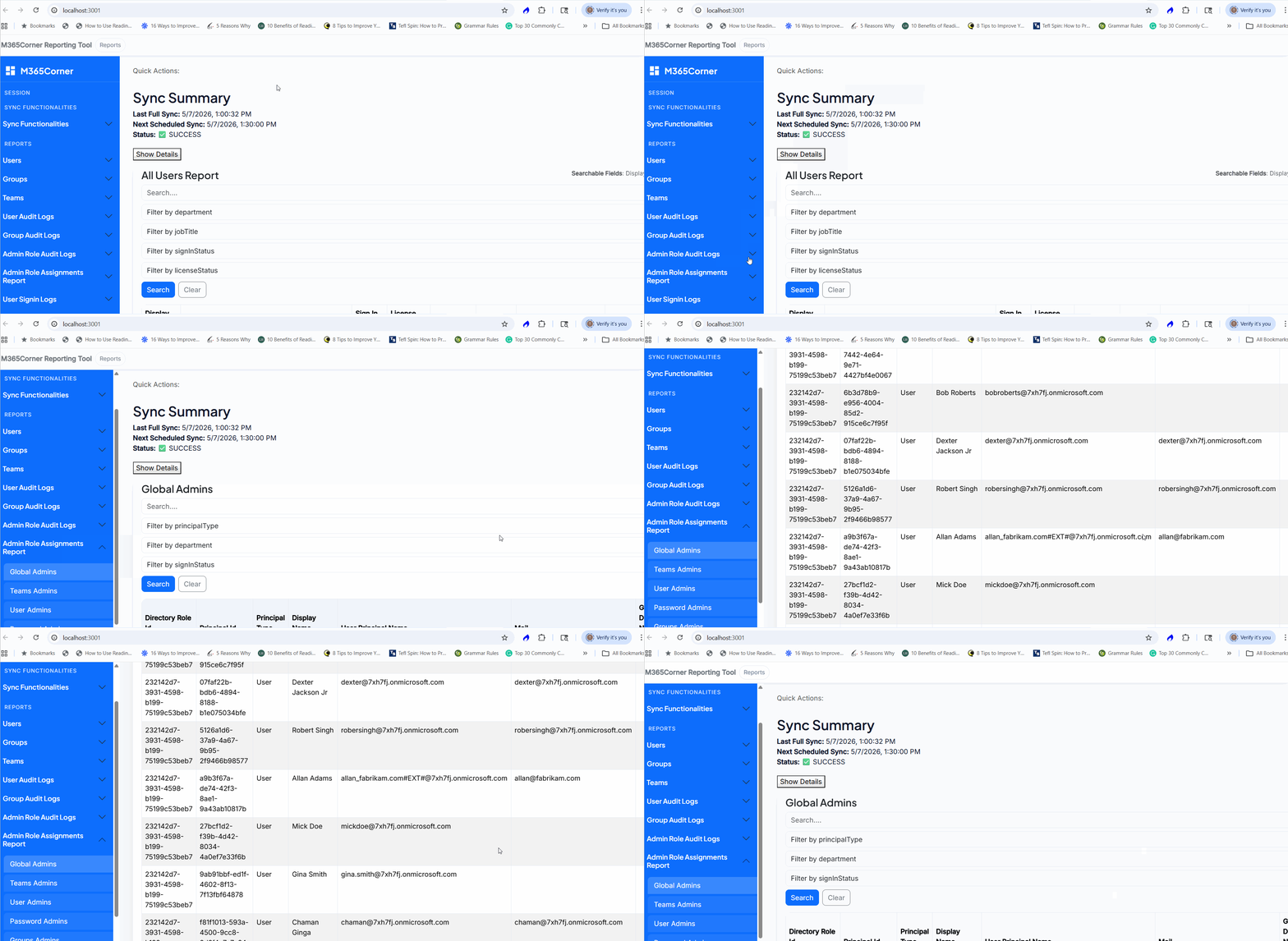
Once released, generating the Global Admins Report will be as simple as
- Go to Admin Role Assignments Report
- Click on Global Admins Report
- The report is generated instantly
What the Global Admins Report Will Offer
The upcoming report is designed to make Global Admin tracking faster and more actionable
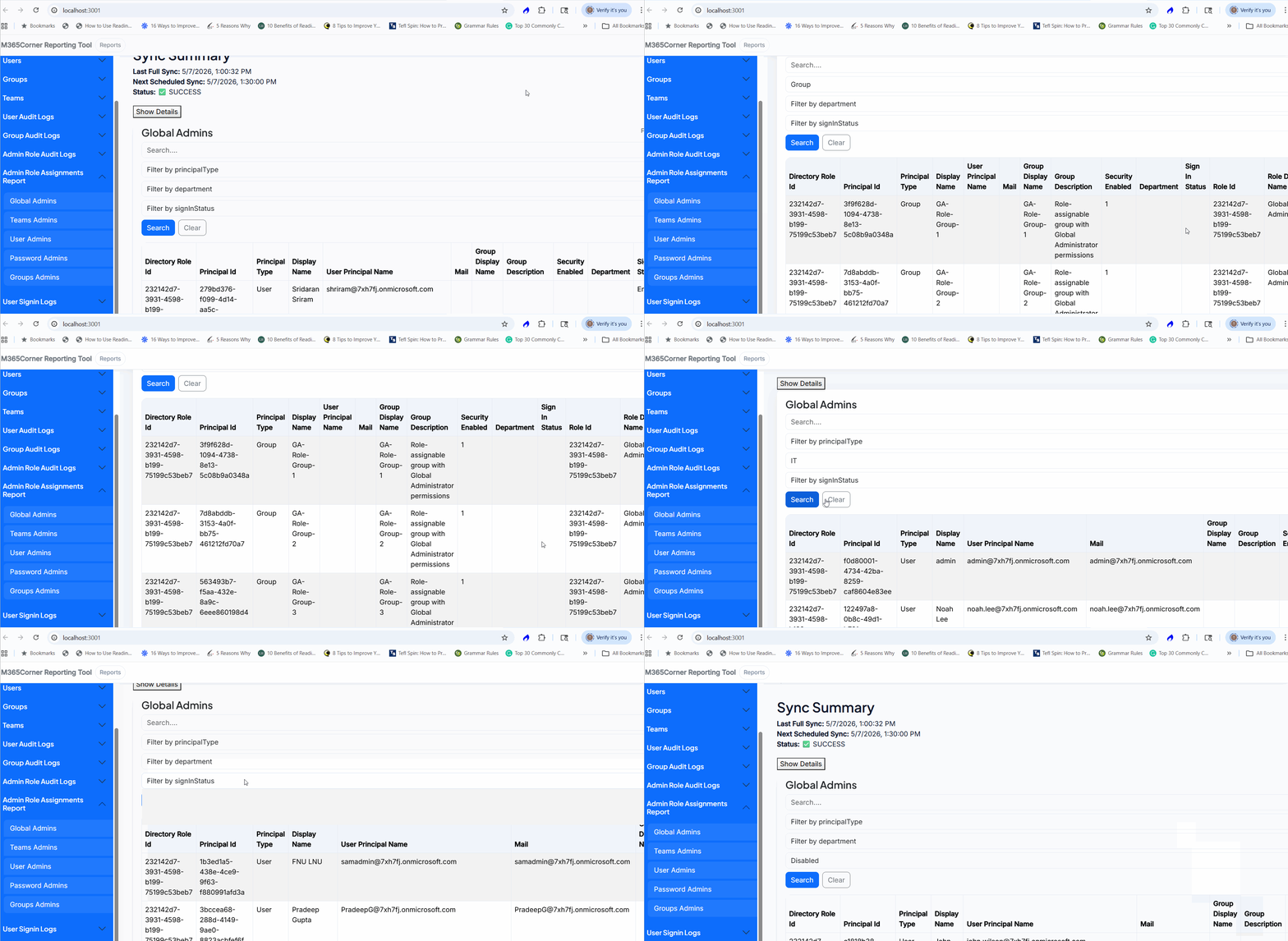
View Only Global Admins
- Instantly list Global Administrators within the tenant
Focus only on highly privileged accounts
Filter by Resource Type
- View users assigned to Global Admin role separately
- View groups assigned Global Admin role separately
Gain better visibility into role assignments
Filter by Department
- Narrow results based on department
Useful for governance and auditing
Filter by Sign-In Status
- Identify active vs inactive sign-in status
Helps detect dormant privileged accounts
Email Reports Instantly
- Share the report directly via email
- No need to download files first
Faster collaboration and reporting
Optional CSV Download
- Export the report if needed
Flexibility for further analysis
Important Note: Data Sync
To generate accurate reports, the tool will sync with your tenant data.
You can choose:
- Automatic Sync → Runs every 30 minutes
- Manual Sync → Trigger on demand
👉 Once synced, reports can be generated instantly.
Native Method vs What’s Coming
| Task | Native Approach | Upcoming Tool |
| Locate Global Admins | Multiple steps | Direct report |
| View group assignments | Limited visibility | Included |
| Filter by department | Manual effort | Built-in |
| Check sign-in status | Separate process | Integrated |
| Share report | Download required | Direct email |
Why This Matters
Tracking Global Administrators effectively helps you:
- Improve privileged access visibility
- Strengthen governance
- Detect unnecessary admin assignments
- Reduce security risks associated with excessive privileges
Our Microsoft 365 Free Reporting Tool can simplify this process significantly.
Final Thoughts
Global Administrators represent the highest level of access in Microsoft 365 — and visibility into these accounts should never be difficult.
With the upcoming M365Corner Free Reporting Tool, tracking Global Admin assignments will become faster, clearer, and easier to manage.
If you’re looking for a free Microsoft 365 reporting tool that simplifies privileged role visibility without PowerShell, this is something worth watching.
More updates coming soon.