The Challenge with Native Global Admin Visibility
Microsoft Entra ID does capture role assignment activities through audit logs.
However, retrieving only the relevant Global Admin assignment events can be difficult in practice.
Admins typically need to:
- Navigating to the Entra Admin Center
- Access Audit Logs
- Search for events like:
- Add member to role outside of PIM (permanent)
- Add member to role in PIM completed (permanent)
- Apply filters manually
Even after filtering these events, another challenge remains: These audit events apply to all admin roles, not just Global Administrators.
Which means:
- Additional manual investigation is required
- Results can become cluttered
- Finding only Global Admin assignments takes extra effort
Additionally:
- Sharing results requires downloading the logs first
- Navigating and filtering logs can be time-consuming for everyday audits
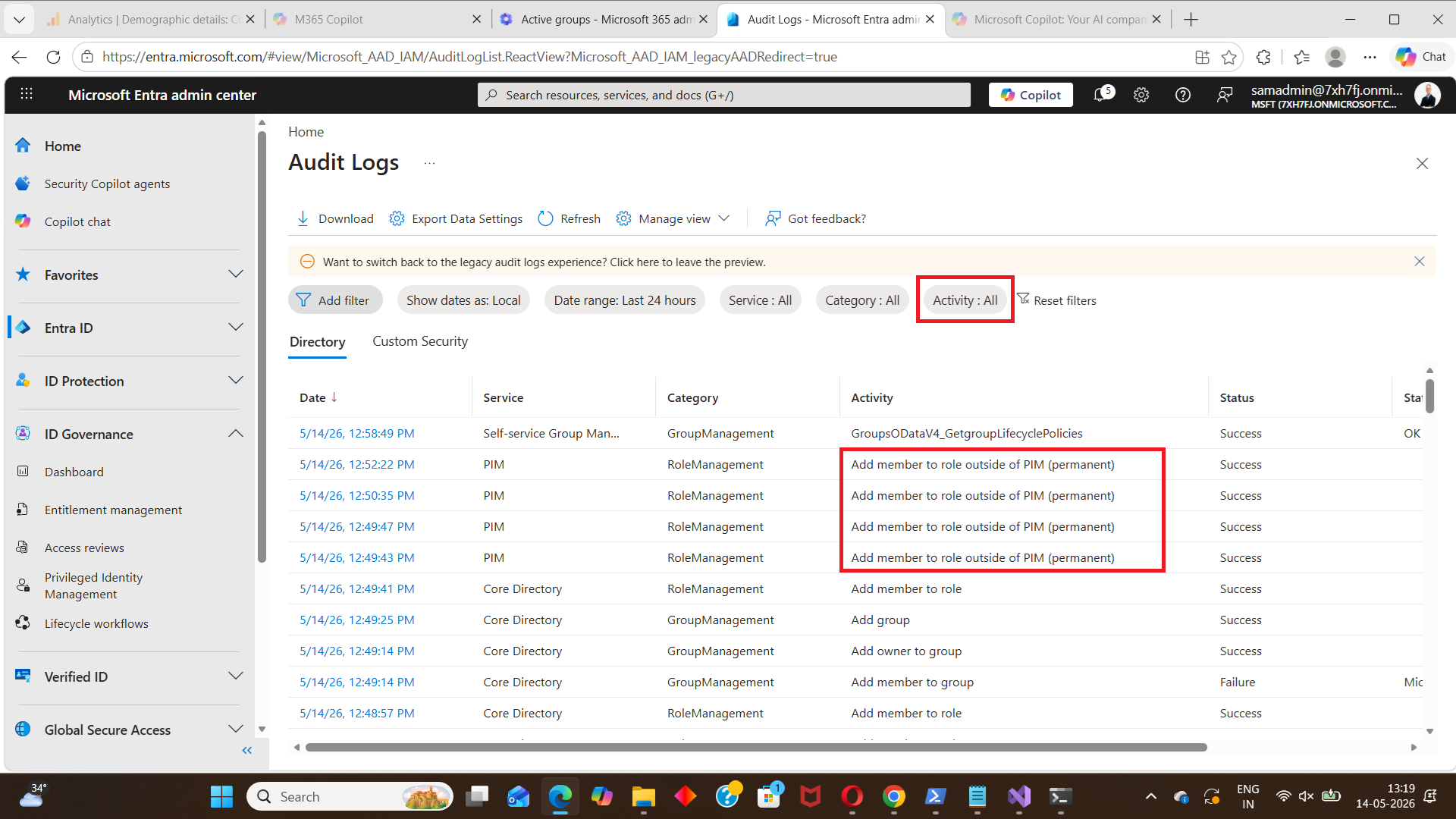 👉 For security-sensitive role audting like Global Administrator, this process can quickly become inefficient.
A Simpler Approach Is Coming Soon
To simplify this process, we’ve been working on the M365Corner Free Reporting Tool — a free Microsoft 365 reporting tool focused on making security and governance reporting easier.
One of the upcoming reports is designed specifically for:: 👉 Global Admin role assignment auditing
How This Will Work (Preview)
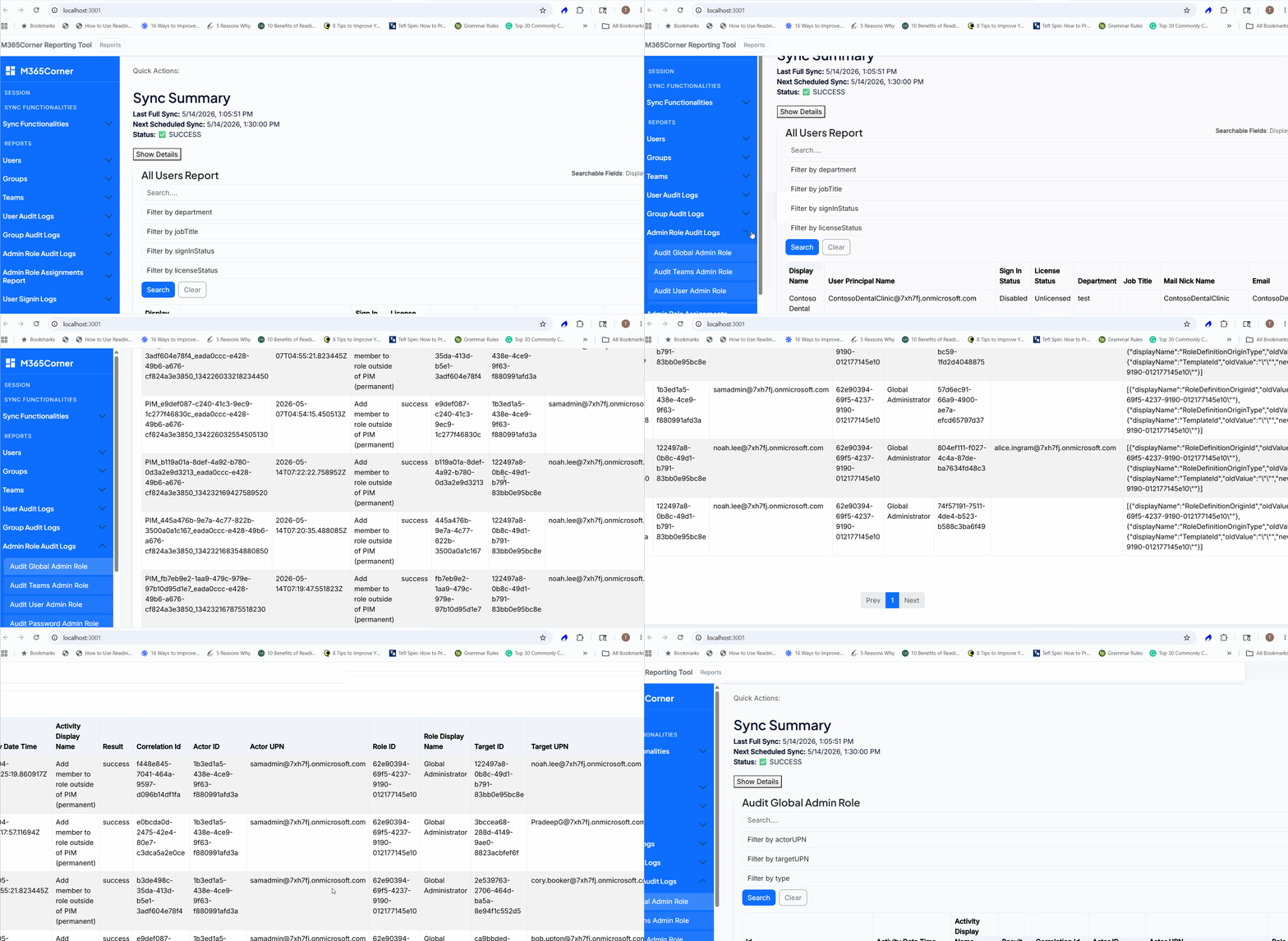
Once released, generating the Audit Global Admin Role Report will be as simple as
- Go to Admin Role Audit Logs
- Click on Audit Global Admin Role Report
- The report is generated instantly
What the Audit Global Admin Role Report Will Offer
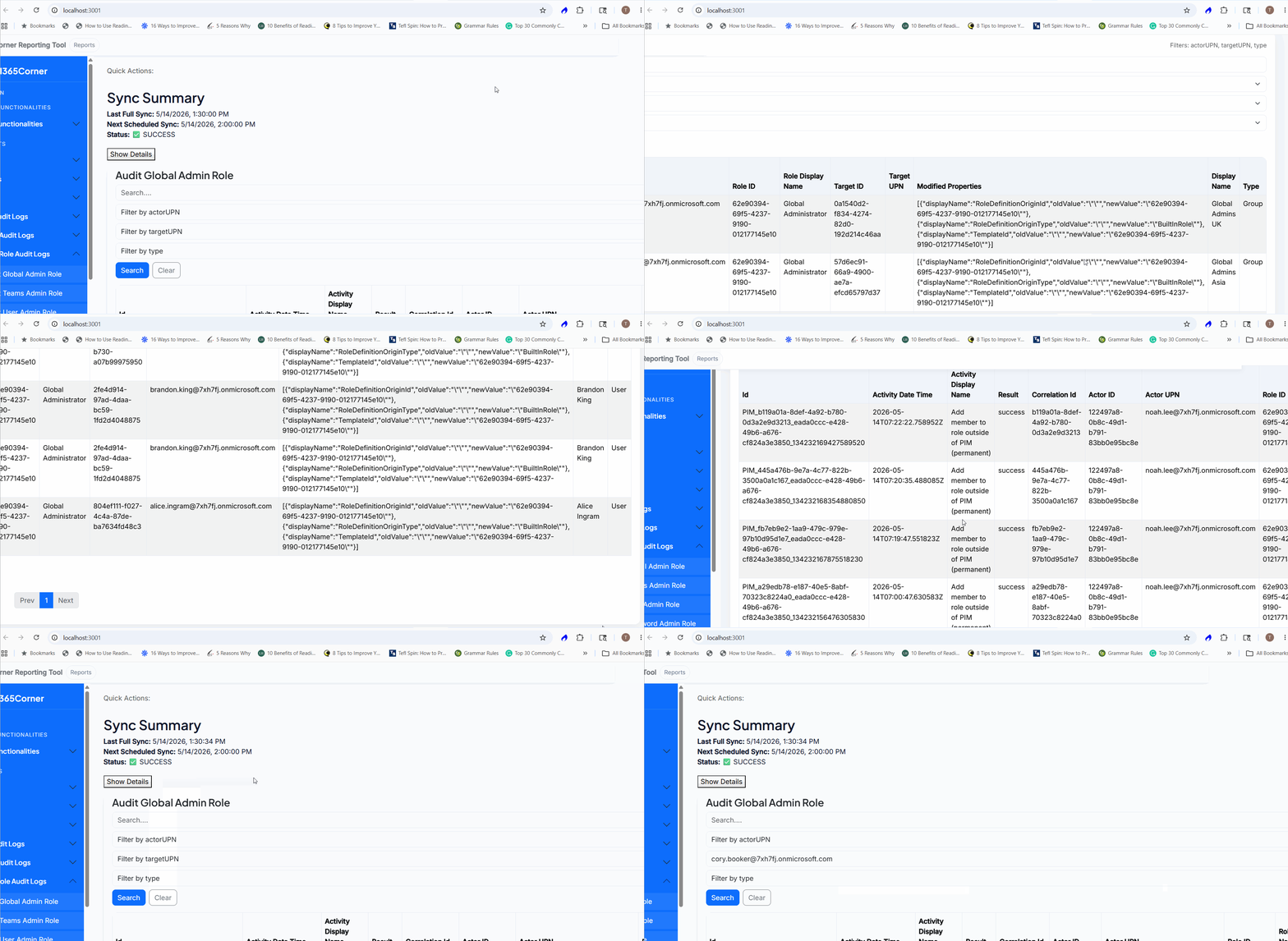
The upcoming report is designed to provide focused visibility into Global Admin assignment activity.
View Only Global Admin Assignment Events
- Isolate Global Admin assignment activity
- Avoid unrelated admin role noise
Focus only on critical privileged access changes
Separate Users and Security Groups
- View only users assigned Global Admin role
- View only groups assigned Global Admin role
Better visibility into role assignment types
Track Assignments by Specific Admin
- View all Global Admin assignments performed by a specific administrator
Simplifies investigations and audits
Detailed Role Assignment Information
- View detailed assignment-related information individually
Get clearer auditing visibility without opening multiple log entries
Email Reports Instantly
- Share the report directly via email
- No need to download files first
Faster collaboration and reporting
Optional CSV Download
- Export the report if needed
Useful for long-term audit retention and analysis
Important Note: Data Sync
To generate accurate reports, the tool will sync with your tenant data.
You can choose:
- Automatic Sync → Runs every 30 minutes
- Manual Sync → Trigger on demand
👉 Once synced, reports can be generated instantly.
Native Audit Logs vs What’s Coming
| Task | Native Approach | Upcoming Tool |
| Locate relevant events | Manual filtering | Direct report |
| Isolate Global Admin assignments | Difficult | Built-in |
| Separate users/groups | Manual analysis | Simple filtering |
| Track assignment actor | Multiple steps | Structured view |
| Share audit logs | Download required | Direct email |
Why This Matters
Tracking Global Admin assignment events helps organizations:
- Improve privileged access governance
- Detect unauthorized role assignments
- Strengthen compliance auditing
- Maintain clearer audit trails
Our Microsoft 365 Free Reporting Tool can simplify this process significantly.
Final Thoughts
Global Administrator assignments represent some of the most sensitive changes in a Microsoft 365 environment.
While Entra audit logs provide the raw data, extracting meaningful insights shouldn’t require complex filtering or manual investigation.
With the upcoming M365Corner Free Reporting Tool, auditing Global Admin assignments will become more focused, actionable, and easier to manage.
If you’re looking for a free Microsoft 365 reporting tool that simplifies privileged role auditing without PowerShell, this is something worth watching.
More updates coming soon.