Find Deleted Entra Service Principals Using PowerShell
Service principals in Microsoft Entra ID can be deleted intentionally during cleanup activities or accidentally during administrative operations. However, deleted service principals may still be important for:
- Security investigations
- Audit and compliance reporting
- Recovery validation
- Change tracking
Being able to review deleted service principals helps administrators understand:
- Which identities were removed
- When they were deleted
- Whether cleanup activities were performed correctly
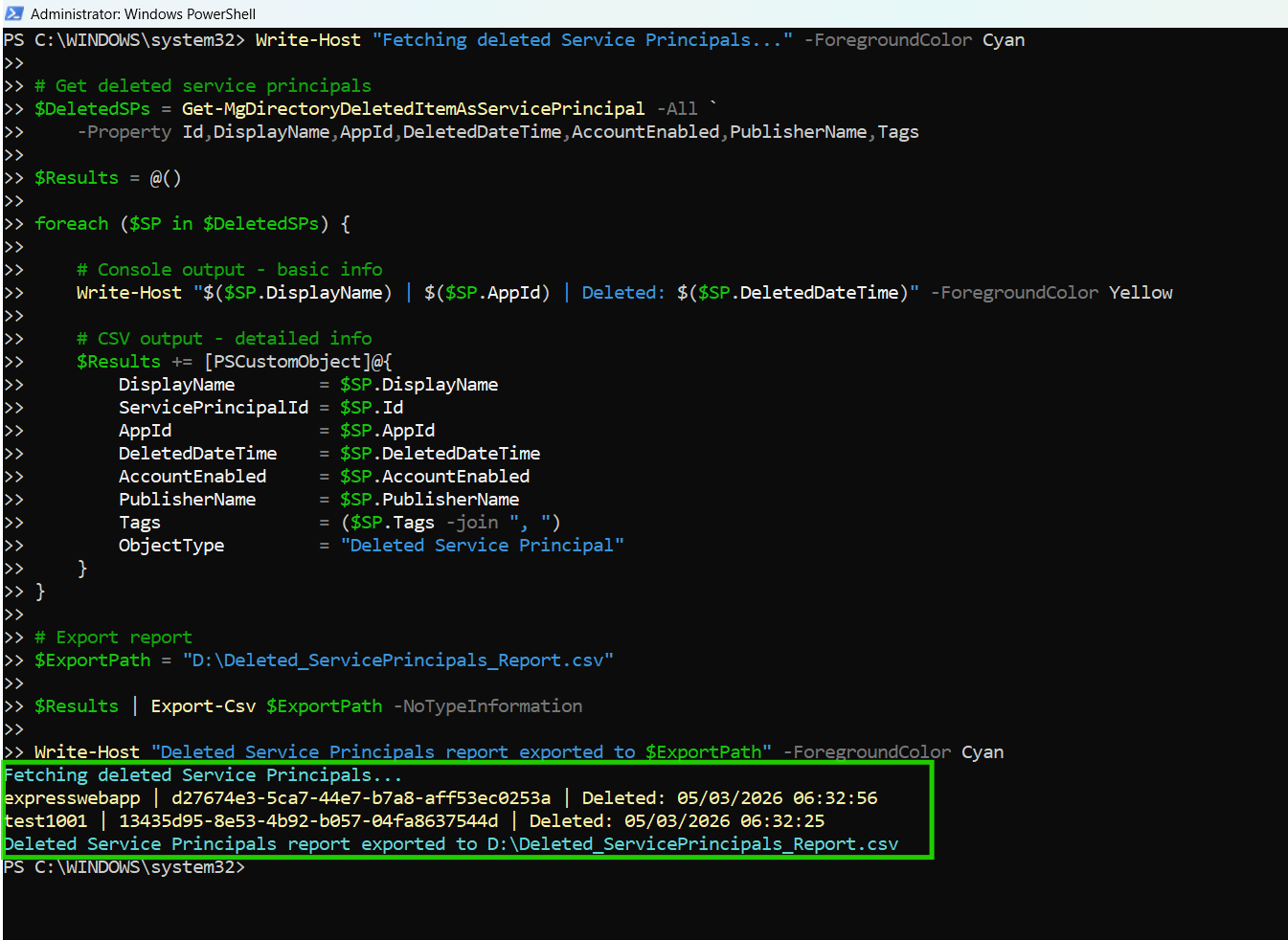
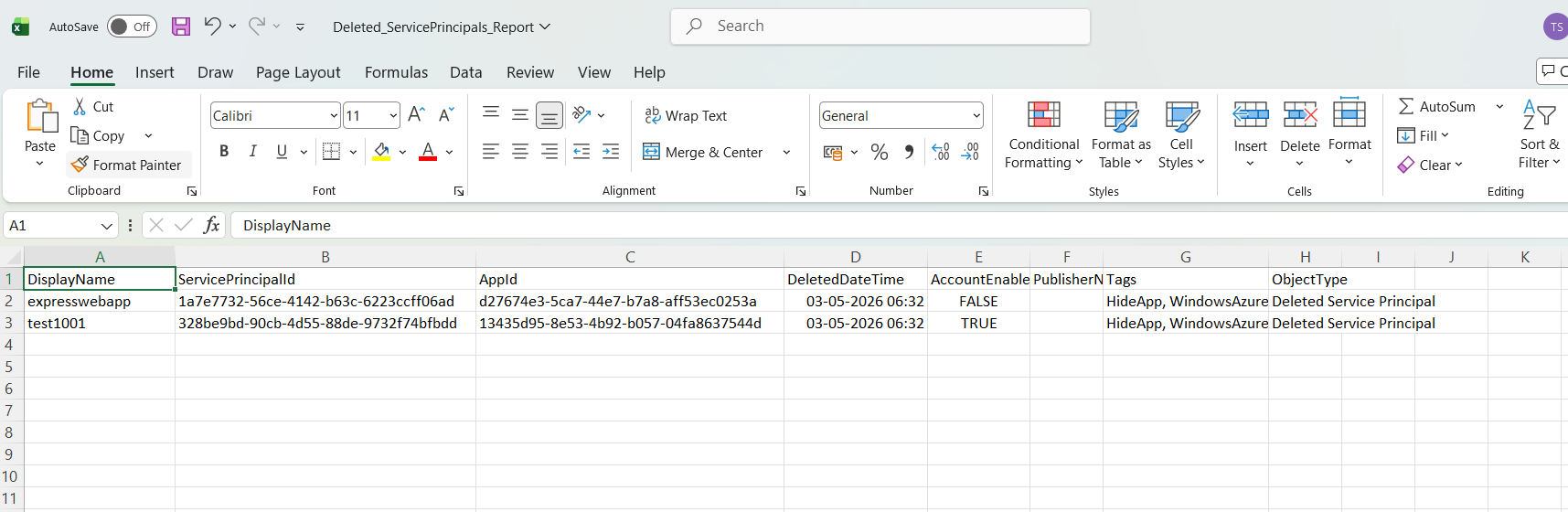
👉 This script helps administrators retrieve deleted Entra service principals and export the details into a CSV report for auditing and governance purposes.
🚀 Community Edition Released!
Try the M365Corner Microsoft 365 Reporting Tool — your DIY pack with 20+ out-of-the-box M365 reports for Users, Groups, and Teams.
The Script
# Connect to Microsoft Graph
Connect-MgGraph -Scopes Directory.Read.All, Application.Read.All

Write-Host "Fetching deleted Service Principals..." -ForegroundColor Cyan

# Get deleted service principals
$DeletedSPs = Get-MgDirectoryDeletedItemAsServicePrincipal -All `
    -Property Id,DisplayName,AppId,DeletedDateTime,AccountEnabled,PublisherName,Tags

$Results = @()

foreach ($SP in $DeletedSPs) {

    # Console output - basic info
    Write-Host "$($SP.DisplayName) | $($SP.AppId) | Deleted: $($SP.DeletedDateTime)" -ForegroundColor Yellow

    # CSV output - detailed info
    $Results += [PSCustomObject]@{
        DisplayName        = $SP.DisplayName
        ServicePrincipalId = $SP.Id
        AppId              = $SP.AppId
        DeletedDateTime    = $SP.DeletedDateTime
        AccountEnabled     = $SP.AccountEnabled
        PublisherName      = $SP.PublisherName
        Tags               = ($SP.Tags -join ", ")
        ObjectType         = "Deleted Service Principal"
    }
}

# Export report
$ExportPath = "C:\Path\Deleted_ServicePrincipals_Report.csv"

$Results | Export-Csv $ExportPath -NoTypeInformation

Write-Host "Deleted Service Principals report exported to $ExportPath" -ForegroundColor Cyan
How the Script Works
| Step | Description |
|---|---|
| Connect to Graph | Authenticates using Directory.Read.All and Application.Read.All permissions |
| Fetch Deleted SPs | Uses Get-MgDirectoryDeletedItemAsServicePrincipal to retrieve deleted service principals |
| Loop Through Results | Processes each deleted service principal |
| Console Output | Displays basic deleted SP information |
| Build Report | Creates a structured object with detailed properties |
| Export Results | Exports deleted service principal details to CSV |
Further Enhancements
| Enhancement | Description |
|---|---|
| Include Owner Details | Capture owners before deletion (if available) |
| Add Restore Capability | Integrate restore workflows for deleted service principals |
| Include Audit Logs | Correlate deletion events with audit logs |
| Add Deletion Age | Calculate days since deletion |
| Filter by Publisher | Focus on deleted service principals from specific vendors |
Frequently Asked Questions
| Question | Answer |
|---|---|
| What is a deleted service principal? | A service principal removed from Entra ID but still available in deleted items |
| Can deleted service principals be restored? | Depending on retention and object type, some may be recoverable |
| Why audit deleted service principals? | For compliance, investigations, and governance reviews |
| Does this script retrieve all deleted SPs? | Yes, all deleted service principals available through Graph |
| Are Microsoft service principals included? | Yes, if they exist in deleted items |
Admin Usecases
| Use Case | Description |
|---|---|
| Audit Reviews | Track deleted identities |
| Compliance Reporting | Maintain records of identity deletion events |
| Incident Investigation | Investigate unexpected deletions |
| Change Tracking | Monitor identity lifecycle activities |
| Recovery Validation | Verify cleanup and restoration operations |
Possible Errors & Solutions
| Error | Cause | Solution |
|---|---|---|
| Insufficient privileges | Missing Graph permissions | Use Directory.Read.All and Application.Read.All |
| Cmdlet not recognized | Microsoft Graph module missing | Install using Install-Module Microsoft.Graph |
| Access token expired | Session timeout | Reconnect using Connect-MgGraph |
| Empty results | No deleted service principals available | Verify deleted items retention |
| Null property values | Some deleted objects may lack certain properties | Add null checks if needed |
Conclusion
Deleted service principals are an important part of Entra ID lifecycle and governance tracking. Without proper visibility into deleted identities, organizations may struggle with audits, investigations, and recovery validation.
This Microsoft Graph PowerShell script provides an efficient way to retrieve and export deleted Entra service principals, enabling administrators to improve:
- Audit readiness
- Governance visibility
- Identity lifecycle tracking
By incorporating this script into regular reviews, organizations can maintain stronger oversight of deleted identities and ensure better operational governance across their Entra environment.