Automate Microsoft Teams Governance Checks with Graph PowerShell
Microsoft Teams environments can quickly become difficult to govern as collaboration spaces grow across departments, projects, and external partnerships. Over time, organizations often end up with:
- Teams without descriptions
- Public Teams lacking governance standards
- Teams without active owners
- Naming convention violations
- Stale or poorly documented Teams
These governance gaps make it harder to:
- Identify the purpose of Teams
- Maintain security and compliance standards
- Improve Microsoft 365 Copilot context
- Manage lifecycle and ownership effectively
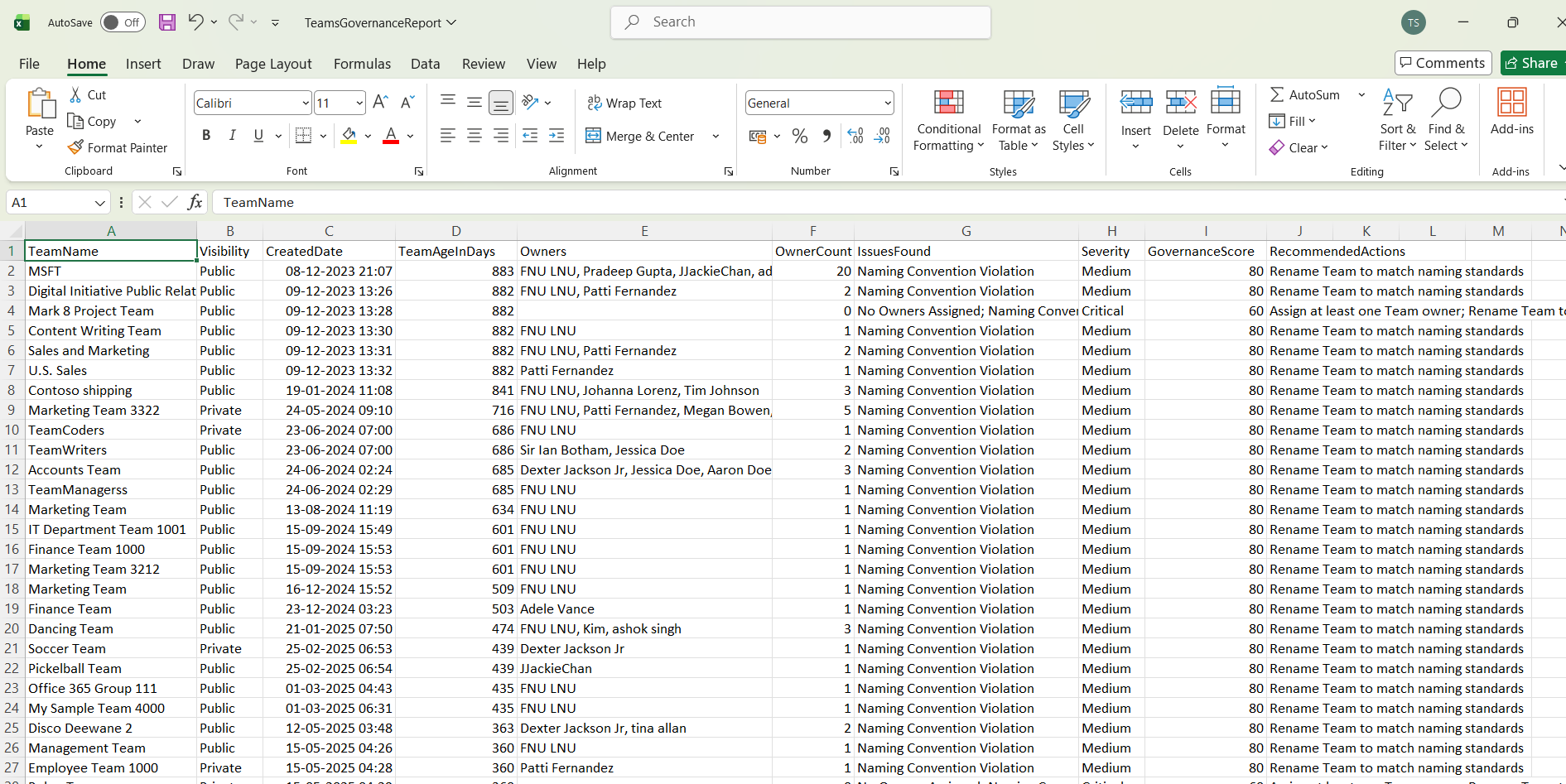
This Graph PowerShell automation script helps administrators perform automated Microsoft Teams governance checks and generate a detailed governance report containing:
- Missing descriptions
- Public Teams missing metadata
- Teams without owners
- Naming convention violations
- Team age
- Governance severity levels
- Recommended remediation actions
The report is exported to CSV and automatically emailed to administrators for regular governance reviews.
🚀 Community Edition Released!
Try the M365Corner Microsoft 365 Reporting Tool — your DIY pack with 20+ out-of-the-box M365 reports for Users, Groups, and Teams.
Why Microsoft Teams Governance Matters
Poorly governed Teams environments can create several operational and security issues:
- Duplicate or abandoned Teams
- Oversharing in public Teams
- Missing ownership accountability
- Difficulty identifying business purpose
- Reduced Microsoft 365 Copilot effectiveness due to poor metadata
Maintaining clean metadata and governance standards helps organizations improve:
- Security posture
- Search discoverability
- Lifecycle management
- Collaboration quality
- AI readiness
Prerequisites
Install the Microsoft Graph PowerShell module if needed:
Install-Module Microsoft.Graph -Scope CurrentUserConnect to Microsoft Graph with the required permissions:
Connect-MgGraph -Scopes `
"Group.Read.All",
"User.Read.All",
"Mail.Send"
Complete Script to Automate Microsoft Teams Governance Checks
# Connect to Microsoft Graph
Connect-MgGraph -Scopes `
"Group.Read.All",
"User.Read.All",
"Mail.Send"

# CSV export path
$CsvPath = "C:\Reports\TeamsGovernanceReport.csv"

# Email settings
$Sender = "admin@contoso.com"
$Recipient = "governance@contoso.com"

# Naming convention pattern
$NamingPattern = "^(HR|IT|FIN|OPS)-"

# Teams older than this will be checked
$MinimumTeamAgeDays = 30

# Get all Teams-enabled Microsoft 365 Groups
$Teams = Get-MgGroup -Filter "resourceProvisioningOptions/Any(x:x eq 'Team')" -All

$GovernanceReport = @()

foreach ($Team in $Teams) {

    try {

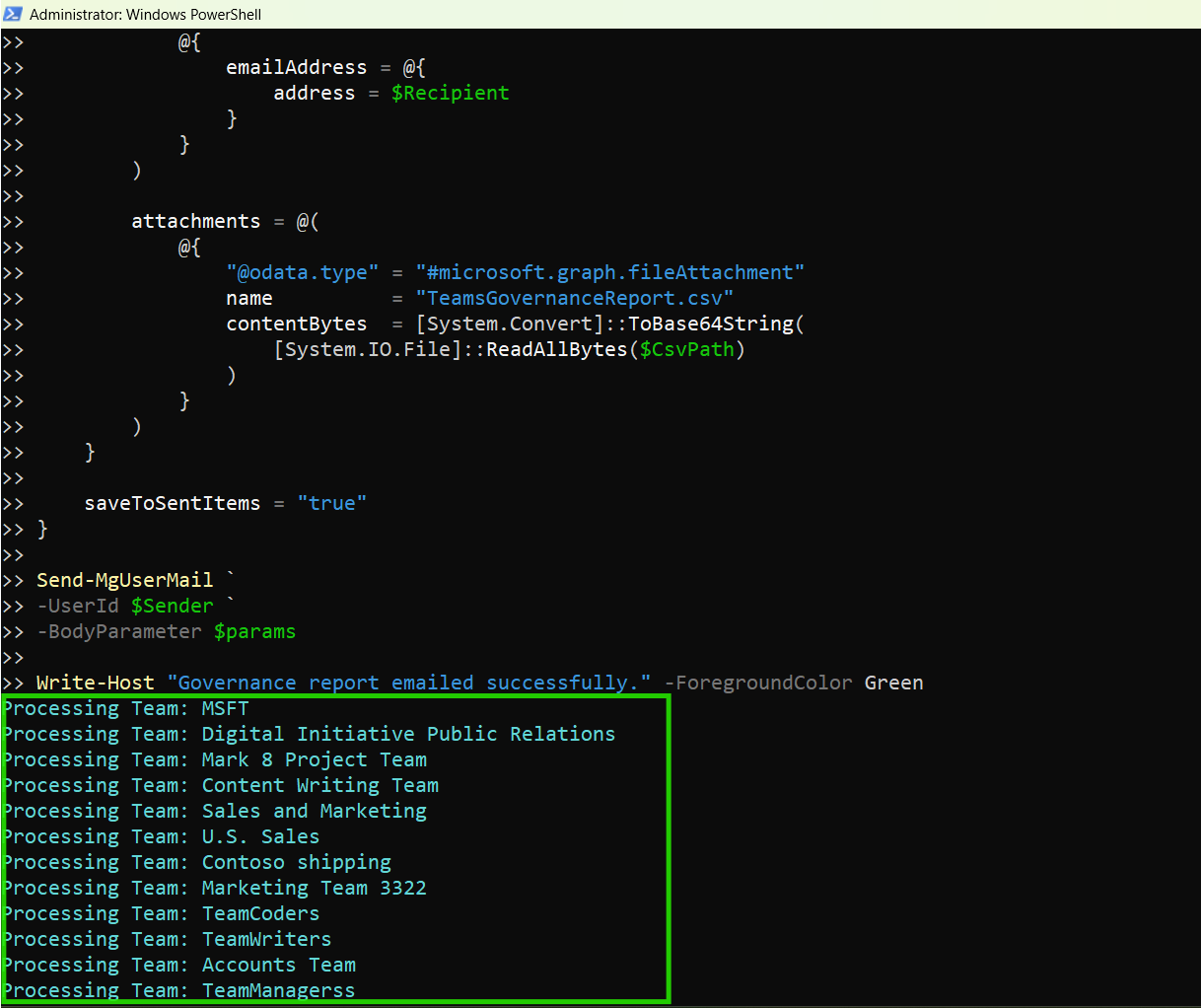
        Write-Host "Processing Team: $($Team.DisplayName)" -ForegroundColor Cyan

        # Calculate Team age
        $TeamAgeDays = (
            New-TimeSpan `
            -Start $Team.CreatedDateTime `
            -End (Get-Date)
        ).Days

        # Skip newly created Teams
        if ($TeamAgeDays -lt $MinimumTeamAgeDays) {
            continue
        }

        # Get Owners
        $Owners = Get-MgGroupOwner -GroupId $Team.Id -All

        $OwnerNames = ($Owners | ForEach-Object {
            $_.AdditionalProperties.displayName
        }) -join ", "

        $OwnerCount = $Owners.Count

        # Governance checks
        $Issues = @()
        $Severity = "Low"
        $RecommendedAction = @()

        # Missing description
        if ([string]::IsNullOrWhiteSpace($Team.Description)) {

            $Issues += "Missing Description"
            $Severity = "Medium"

            $RecommendedAction += "Add a meaningful Team description"
        }

        # Default or weak descriptions
        if (
            $Team.Description -match "^(test|na|none|team description)$"
        ) {

            $Issues += "Weak Description"
            $Severity = "Medium"

            $RecommendedAction += "Replace placeholder description"
        }

        # Public Team without description
        if (
            $Team.Visibility -eq "Public" -and
            [string]::IsNullOrWhiteSpace($Team.Description)
        ) {

            $Issues += "Public Team Missing Description"
            $Severity = "High"

            $RecommendedAction += "Review public Team metadata immediately"
        }

        # No owners
        if ($OwnerCount -eq 0) {

            $Issues += "No Owners Assigned"
            $Severity = "Critical"

            $RecommendedAction += "Assign at least one Team owner"
        }

        # Naming convention validation
        if ($Team.DisplayName -notmatch $NamingPattern) {

            $Issues += "Naming Convention Violation"

            if ($Severity -ne "Critical") {
                $Severity = "Medium"
            }

            $RecommendedAction += "Rename Team to match naming standards"
        }

        # Only add non-compliant Teams
        if ($Issues.Count -gt 0) {

            # Governance score
            $GovernanceScore = 100

            $GovernanceScore -= ($Issues.Count * 20)

            if ($GovernanceScore -lt 0) {
                $GovernanceScore = 0
            }

            $GovernanceReport += [PSCustomObject]@{

                TeamName           = $Team.DisplayName
                Visibility         = $Team.Visibility
                CreatedDate        = $Team.CreatedDateTime
                TeamAgeInDays      = $TeamAgeDays
                Owners             = $OwnerNames
                OwnerCount         = $OwnerCount
                IssuesFound        = $Issues -join "; "
                Severity           = $Severity
                GovernanceScore    = $GovernanceScore
                RecommendedActions = $RecommendedAction -join "; "
            }
        }
    }

    catch {

        Write-Host "Error processing Team: $($Team.DisplayName)" -ForegroundColor Red
        Write-Host $_.Exception.Message
    }
}

# Export governance report
$GovernanceReport | Export-Csv `
-Path $CsvPath `
-NoTypeInformation `
-Encoding UTF8

Write-Host "Governance report exported successfully." -ForegroundColor Green

# Governance statistics
$TotalIssues = $GovernanceReport.Count

$CriticalIssues = (
    $GovernanceReport |
    Where-Object {
        $_.Severity -eq "Critical"
    }
).Count

$HighIssues = (
    $GovernanceReport |
    Where-Object {
        $_.Severity -eq "High"
    }
).Count

# HTML preview
$HtmlPreview = (
    $GovernanceReport |
    Select-Object -First 10 |
    ConvertTo-Html -Fragment
)

# Email body
$EmailBody = @"
<html>
<body>

<h2>Microsoft Teams Governance Report</h2>

<p>The automated governance review has completed successfully.</p>

<ul>
<li>Total Non-Compliant Teams: $TotalIssues</li>
<li>Critical Issues: $CriticalIssues</li>
<li>High Severity Issues: $HighIssues</li>
</ul>

<p>Below is a preview of the first 10 non-compliant Teams:</p>

$HtmlPreview

</body>
</html>
"@

# Send email
$params = @{
    message = @{
        subject = "Microsoft Teams Governance Report"

        body = @{
            contentType = "HTML"
            content = $EmailBody
        }

        toRecipients = @(
            @{
                emailAddress = @{
                    address = $Recipient
                }
            }
        )

        attachments = @(
            @{
                "@odata.type" = "#microsoft.graph.fileAttachment"
                name          = "TeamsGovernanceReport.csv"
                contentBytes  = [System.Convert]::ToBase64String(
                    [System.IO.File]::ReadAllBytes($CsvPath)
                )
            }
        )
    }

    saveToSentItems = "true"
}

Send-MgUserMail `
-UserId $Sender `
-BodyParameter $params

Write-Host "Governance report emailed successfully." -ForegroundColor Green
How the Script Works
- Retrieves All Microsoft Teams
- Checks Team Metadata Compliance
- Missing descriptions
- Placeholder descriptions
- Public Teams missing descriptions
- Naming convention violations
- Identifies Teams Without Owners
- nobody is accountable
- membership reviews are neglected
- stale Teams accumulate over time
- Calculates Governance Scores
- metadata quality
- ownership compliance
- naming standards
- Exports Results to CSV
- reviewed in Excel
- shared with governance teams
- used for compliance tracking
- Emails the Governance Report Automatically
- attaches the CSV report
- embeds a governance summary
- includes an HTML preview table
The script retrieves all Teams-enabled Microsoft 365 Groups:
Get-MgGroup -Filter "resourceProvisioningOptions/Any(x:x eq 'Team')"The script validates:
This helps organizations maintain metadata consistency.
Teams without owners create governance risks because:
The script flags Teams lacking owners as Critical.
Each Team receives a governance score based on:
This helps administrators prioritize remediation efforts.
The governance report is exported using:
Export-Csv
The CSV can be:
The script:
This makes the solution ideal for scheduled governance reviews.
How This Helps Microsoft 365 Copilot
Microsoft 365 Copilot relies heavily on:
- Team metadata
- meaningful descriptions
- naming consistency
- collaboration context
Poorly documented Teams can reduce the effectiveness of:
- contextual search
- AI-generated summaries
- content discovery
Maintaining clean metadata improves overall AI readiness across Microsoft 365.
How the Script Identifies Weak Descriptions
Not all Microsoft Teams descriptions provide meaningful governance value. In many environments, users often enter placeholder text simply to bypass Team creation requirements without properly documenting the Team’s purpose.
To help identify poorly documented Teams, the script labels certain descriptions as Weak Descriptions.
The current script flags descriptions that exactly match the following common placeholder values:
- test
- na
- none
- team description
The validation is case-insensitive, meaning values such as:
- Test
- TEST
- NA
- None
will also be detected.
These descriptions are considered weak because they:
- Do not explain the Team’s purpose
- Provide no business context
- Reduce discoverability in Microsoft Search
- Make governance reviews more difficult
- Lower metadata quality for Microsoft 365 Copilot and AI-based experiences
For example, a description like:
Test
does not help administrators or users understand:
- who the Team belongs to
- what project it supports
- whether it contains sensitive business data
- whether the Team is still relevant
By identifying weak descriptions, administrators can improve metadata quality and maintain better collaboration governance standards across Microsoft Teams environments.
Real-World Use Cases
- Quarterly Governance Reviews
- Security and Compliance Audits
- Teams Lifecycle Management
- archiving
- renewal
- deletion
- Improving Collaboration Standards
- Scheduling the Script
- Windows Task Scheduler
- Azure Automation
- GitHub Actions
- Scheduled PowerShell Jobs
Run scheduled governance checks to identify non-compliant Teams environments.
Identify public Teams missing metadata or ownership accountability.
Review stale Teams before:
Enforce naming conventions and metadata standards across departments.
You can automate this script using:
This enables recurring governance audits without manual intervention.
Possible Errors and Solutions
| Error | Cause | Solution |
|---|---|---|
| Insufficient privileges to complete the operation | Required Microsoft Graph permissions were not granted. | Reconnect using: Connect-MgGraph -Scopes ` "Group.Read.All", "User.Read.All", "Mail.Send" and ensure admin consent is granted. |
| Resource not found | The Team may have been deleted or partially provisioned. | Use proper try/catch handling as included in the script |
| Access Denied | The account lacks permission to send emails. | Ensure the account has:
|
Why Teams Descriptions Matter
Teams descriptions help users quickly understand:
- the Team’s purpose
- project ownership
- department alignment
- collaboration context
Descriptions also improve:
- Microsoft Search discoverability
- onboarding experience
- governance visibility
- Copilot context quality
Maintaining high-quality metadata creates a cleaner and more manageable Microsoft Teams environment.
Conclusion
As Microsoft Teams environments continue to grow, governance and metadata quality become increasingly important. Poorly documented Teams, missing ownership, and inconsistent naming standards can create operational confusion and security risks over time.
This Graph PowerShell automation script helps organizations:
- identify governance gaps
- enforce metadata standards
- improve visibility
- automate compliance reviews
- strengthen Microsoft Teams governance
By automating Microsoft Teams governance checks, administrators can maintain cleaner, more secure, and more manageable collaboration environments across Microsoft 365.